Contrary to popular belief, humans aren’t inherently rational when making decisions. Our buying decisions stem from the subconscious mind 95% of the time. The rational mind is good at justifying what the emotional mind has already decided.
A good brand understands this well and builds digital products and experiences that tap into the emotional and irrational side of the users’ brains. They apply design principles and theories of psychology to understand what resonates with users and create digital platforms and apps around it.
To build a successful digital product, you can start by understanding and applying the following design theories and frameworks.
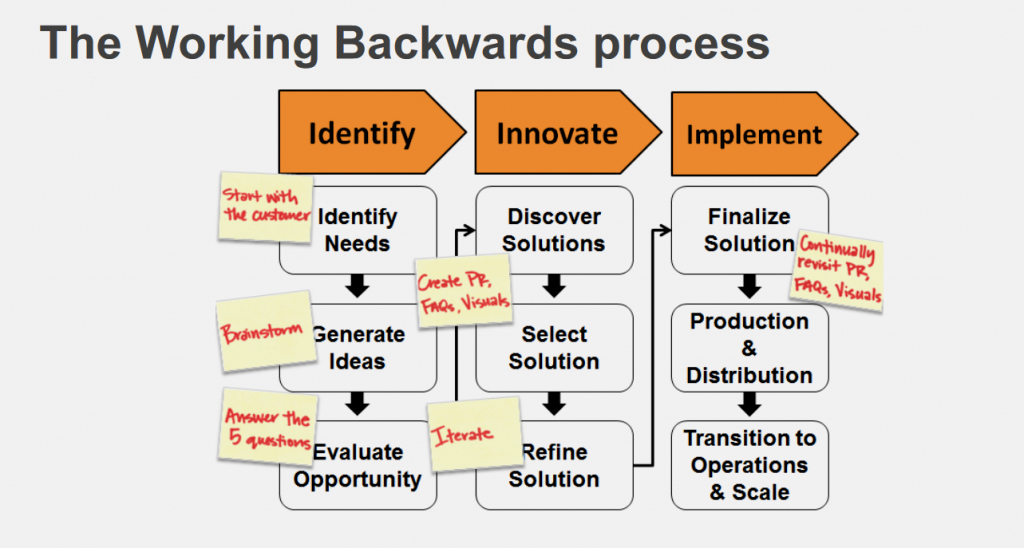
1. RWW Framework: The real-win-worth it (RWW) framework is a go/no-go screening method that helps you eliminate bias from the decision-making process and maintain objectivity. Ask yourself questions such as:
Is it real? Is there a market opportunity for my product? Is it feasible to build it?
Will it win? Is there an opportunity for the product in the market? Can it help my brand gain and sustain a competitive advantage?
Is it worth the effort? Is the idea worth implementing? Will it help me achieve my business goals or open doors for future opportunities?
2. Tim Brown’s Design Thinking: Tim Brown defines design thinking as a set of cognitive, strategic and practical processes that help you develop design concepts. The five components include:
Empathizing with the users and understanding their challenges.
Defining the core issue that they face while using your product.
Ideating potential solutions to solve the problem.
Building a prototype of the solution to check if it can address the user’s problem and work on the product if it’s successful.
Evaluate the outcome of the solution by defining the metrics and measuring them regularly.
3. Don Norman’s Three Levels Of Design Appeal: Great products always make users feel things. They trigger an emotional response and spur behavioral changes based on those responses. Don Norman calls it the three levels of design appeal in his book Emotional Design. The three levels are:
Visceral: Evoke the proverbial love at first sight response within your users by targeting their old brains with your product design.
Behavioral: Build an immersive experience that helps users feel empowered and derive value. They should feel happy or productive after using the product.
Reflective: Target the logical side of the human brain by making the users feel proud of using the product and enabling them to share their experiences with others.
You can implement these principles by:
#1. Demonstrating trustworthiness. Most users (66%) revealed that they would purchase a product because of positive reviews. Request users to rate and review your products and publish them on all channels. Offer them freebies or discounts for their unbiased reviews. Use pictures of real people endorsing the product to build trust. An A/B testing experiment by a web company revealed that using real, happy people’s pictures on a landing page increased sign-ups by 102.5%.
#2. Facilitating snap decision-making. Facilitate quick decision-making on your digital platform or app. One in five users abandons their purchases due to an inconvenient checkout process. But one-click checkout options, for instance, can allow users to save their address and payment methods as a default option to accelerate the checkout process. Find out what stops your users from completing the desired action and eliminate those deterrents to create a seamless experience.
#3. Addressing by name. The bystander effect theory states that if one person sees someone in distress, they are likely to help them 70% of the time. If multiple people see distress, that number would be around 40%. Eliminate the bystander effect by addressing the user by name. This will elicit their response faster. You can do it through personalization. Research shows that 60% of people want personalized offers in real time.
#4. Using the power of commitment. Social validation compels users to complete a task. Allow users to make their private commitment public. If the user is participating in a 30-day fitness challenge, for example, give them an option to share their progress or completion badge on social media platforms. The response from friends and followers will boost engagement.
#5. Talking to the reptilian brain. Humans have three regions in the brain: the reptilian brain, the emotional brain and the rational brain. The reptilian brain works on instincts and controls the behavior for survival. Talk directly to the reptilian brain to improve conversions. Tap into emotions such as fear and greed through images and text. Center the experience around the user, such as their challenges and victories, through stories and powerful words like trust, safety and love that imply an emotional connection.
#6. Performing usability testing. Always perform usability testing to understand the interaction between your users and the product. Empathize with their challenges to build a better human-centric product. You can conduct various usability tests, such as the thinking aloud test, in which you ask the participants to express what they feel about the product as they use it to get firsthand, undiluted responses. You can also use eye-tracking technology to track participants’ eye movements. This allows you to record areas where the eye movement stops or moves faster. Observe and collect empirical data such as how long it takes for users to complete the desired action to identify the possible bottlenecks and fix them.
Ad guru Bill Bernbach said, “Advertising is fundamentally persuasion, and persuasion happens to be not a science, but an art.” His words still hold true in today’s digital era. New technologies and platforms have come, and the metrics to measure effectiveness have changed. But selling is still about how we persuade and sell to humans centered around users’ experiences.
As Don Norman and Jakob Nielsen of the Nielsen Norman Group put it, “True user experience goes far beyond giving users what they say they want or providing checklist features.” So, understanding human psychology and appealing to their emotions is key even in the digital era.
Every day, technology makes it easier, faster, and more affordable for businesses and individuals to communicate online with each other. Today more and more of this progress has been centered on over-the-top (OTT) brands. Through OTT, movie buffs can see classic and newly released films virtually anywhere and anytime. Sports fans throughout the world can attend exclusive athletic events that are happening thousands of miles away. And professional broadcasters, as well as the major networks, can reach wider audiences than ever before via mobile phones, digital media players, personal computers, and smart TVs.
But ensuring that users get the best experience from this technology demands design and development that meets certain criteria. Meeting these standards helps broadcasters retain and build the loyalty of their customer base, which is crucial to the success of any business. Here are some suggestions to help broadcasters design and develop OTT apps that provide the best viewing experience for users now and in the future.
Three Areas to Focus on While Building Your OTT App
1. The quality of the playback experience
Sounds obvious, right? It’s certainly the aim of such OTT leaders as Discovery+, Netflix, and Prime. Here are four elements that ensure a positive playback experience:
Top video resolution
– Whatever device is being used, from Android to a large-screen smart TV, to Roku, the picture should be clear, sharp, and provide the ultimate viewing experience. To ensure that this is the case make sure the content supports various options including 4K, HDR10, Dolby Vision, and Dolby Atmos.
Little or no buffering
– Whether a viewer wants to watch a rerun of a favorite classic TV episode or a new video, they hate waiting for the show to start. That wait is called buffering and is due to pre-loading segments of data when streaming video content. Various things impact the length of time it takes to upload data, but using a good capacity CDN/Server helps to speed things up, preventing delays and user dissatisfaction.
A way to fix errors
– Stuff happens. And when there’s a problem with OTT, the faster it’s fixed the happier your audience – and you – will be. So, plan ahead. Engage a service like Video Analytics to monitor and correct errors as soon as possible.
Basic UI
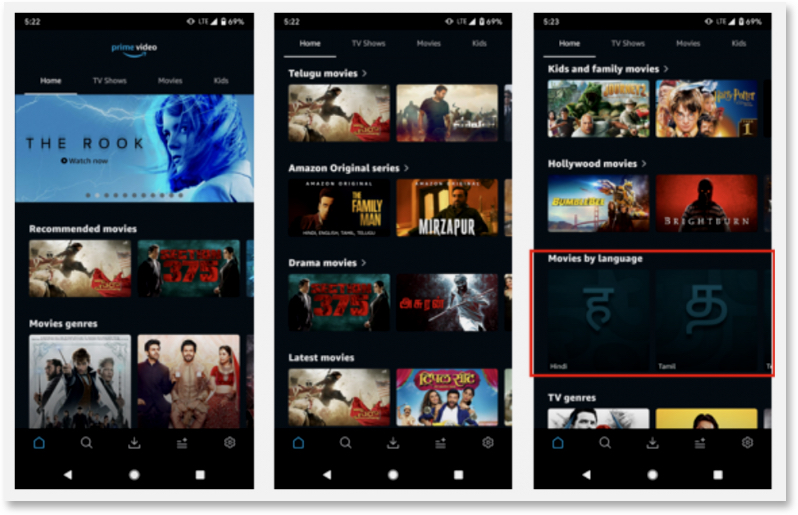
– Consider the example of Amazon Prime. Without using anything more complex than a basic UI, it offers access to tons of content and an excellent video-watching experience for users all over the world.
2. Convenient content discovery
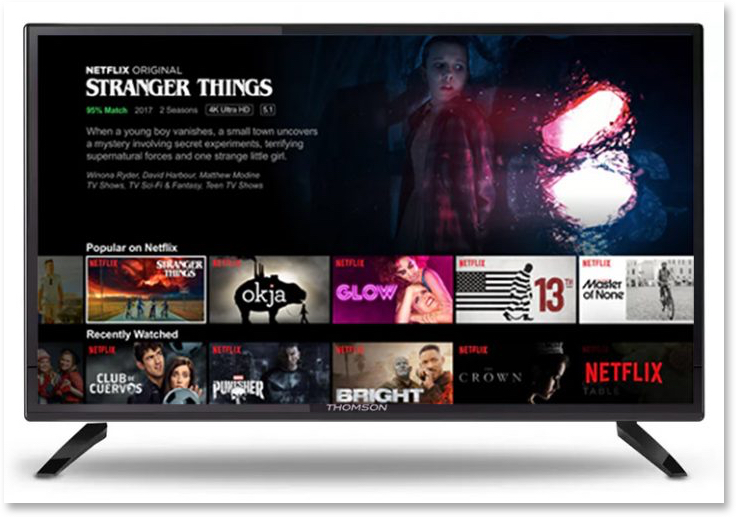
Making it quick and easy for users to find relevant content across devices and platforms is how companies like Netflix, Prime, and Discovery have become industry leaders. The secret is to use technologies like AI/ML to build robust recommendation engines based on a viewer’s usage history.
3. The right framework
There are two different options to choose from when it comes to building your OTT app framework The first is having your developers rewrite and redesign the app’s functionality in the native development language.
Here’s a brief description of three native frameworks we recommend:
Android Mobile & TV
– This makes use of the same framework for both TV and mobile devices using the same logic but a different UI layer that adapts to the TV experience with minimal effort. For example, Kotlin with MVVM architecture and ExoPlayer for playback.
IOS and Apple TV
– This app also uses the same business logic for Android and TV but with a different UI layer for TV. Using Swift programing language with AVPlayer for playback is an example.
Web, LG TV, Samsung TV, and other web OS-based TV and STBs
– This is a web application for all of these devices.
There’s no question that using the native approach to building an OTT app produces the best performance when it comes to memory and CPU optimizations. But a native framework demands a special team to build and maintain the app and can be expensive.
Fortunately, technologies such as Flutter and React-Native enable a more cost-effective approach to the development of cross-platform OTT apps. With a shared codebase and a hybrid framework, these apps work well on all devices like Android, iOS, TV, Web, and set-top box (STB). And by eliminating the separate codebases demanded by a native approach, they can be built and maintained by a single team.
With a Cross-platform OTT App You Can Still Get All of These Benefits
Expanded user reach
Since different devices and operating systems can be served with the same app, OTT brands enjoy a wider audience regardless of how users view them. Users are able to tune in to their favorite shows, films, digital channels, and live broadcasts 24/7 on various devices no matter where they are.
Consistency of viewer experience
One of the most attractive features of OTT apps is that they ensure a high-quality viewer experience on a wide range of digital devices and operating systems. Even if the user switches between devices with different screen sizes that are located miles away from each other, the OTT app ensures that the interface and experience remain the same.
Faster app development
When cross-platform apps are built using a hybrid approach, they take less time to develop, maintain, and upgrade. Tools such as Flutter and React-Native provide faster development cycles because developers can “code once and deploy everywhere.” In addition, any updates are synced automatically for all platforms and devices.
Affordability
Since a hybrid approach allows a single OTT team to take care of everything, there is no need to hire different teams for developing and maintaining different frameworks. This saves money throughout the design and development and for the entire life cycle of the hybrid OTT brand.
The choice is yours. But whether you build a native or almost-native app with just a single code base for most platforms, you’ll find that OTT apps are a worthwhile investment in the future success of your business. Here are some key reasons why:
Live streaming
Live streaming allows viewers a chance to see a performance, an athletic contest, or a political event as it’s actually happening. That’s no doubt why live stream holds the attention of users ten to twenty times longer than pre-recorded videos. In the first quarter of 2021, live streaming accounted for twenty-four percent of global OTT viewing.
Users love good content even if they don’t speak the language of the country where it comes from. Multi-lingual subtitles and audio descriptions make it easy for users around the world to consume more localized content. For example, ninety-five percent of the users watching Squid Games on Netflix were living outside Korea.
You too can include localized content on your platform to attract new users from all over the globe. Just add subtitles and audio descriptions in a number of different languages. You could also experiment with different genres, themes, and creative styles, which would not only attract new viewers but enhance the experience of your current subscribers.
Built for connected TV
Every year more and more viewers are switching from traditional cable networks to connected TV. Currently, forty-four percent of households have dropped cable altogether while a full eighty-two percent of viewers are watching connected television on a regular basis. Building an OTT app for this market is clearly a worthwhile investment in your business’s future.
Access to multiple channels on different devices
Continuity is king when it comes to developing OTT apps. The content should automatically be synchronized across different platforms and devices to prevent friction in the viewing experience. Users can switch from one device to another and still access different channels with just a single sign-on.
You can create 4K videos that can be streamed on Roku devices, Apple TV, Fire TV, Android TV, and some web-based smart TV platforms such as Samsung’s Tizen and WebOS. Just make sure to pay attention to the screen size and other functionalities while building the app. Here’s what we did for Magnolia Network, USA.
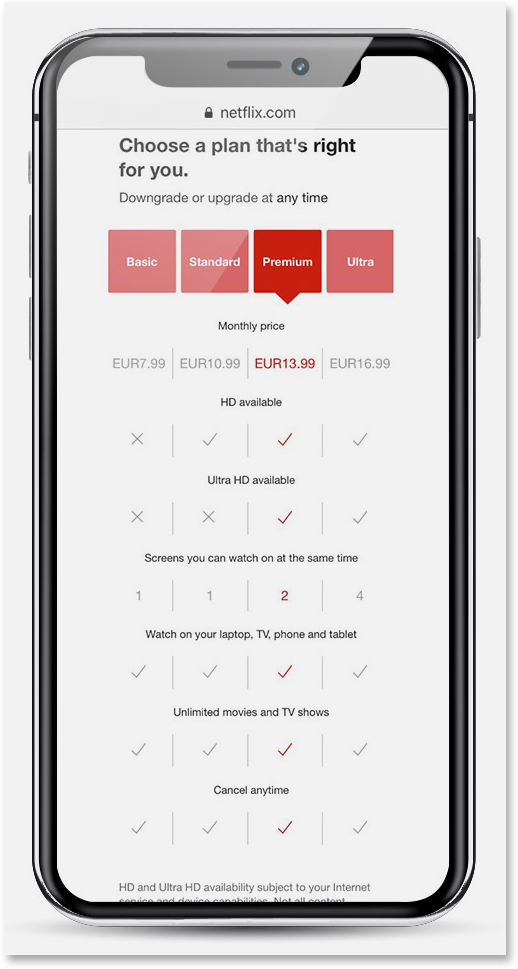
Subscription Video On Demand (SVOD) gives users access to the entire content library for a subscription fee.
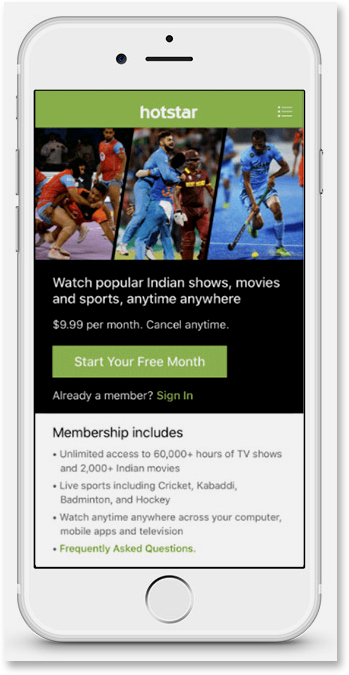
Advertising Video On Demand (AVOD) allows users to access free content in exchange for viewing ads.
Free Ad-supported Streaming TV (FAST) is a no-cost, high-quality alternative to cable TV. Instead of the library of user-chosen content available 24/7 on AVOD, it has linear channels that deliver scheduled programming to a mass audience on a one-to-many basis.
Transactional Video On Demand (TVOD) also called pay-per-view, works well for live streaming of special events such as sports or worldwide premier of popular movies.
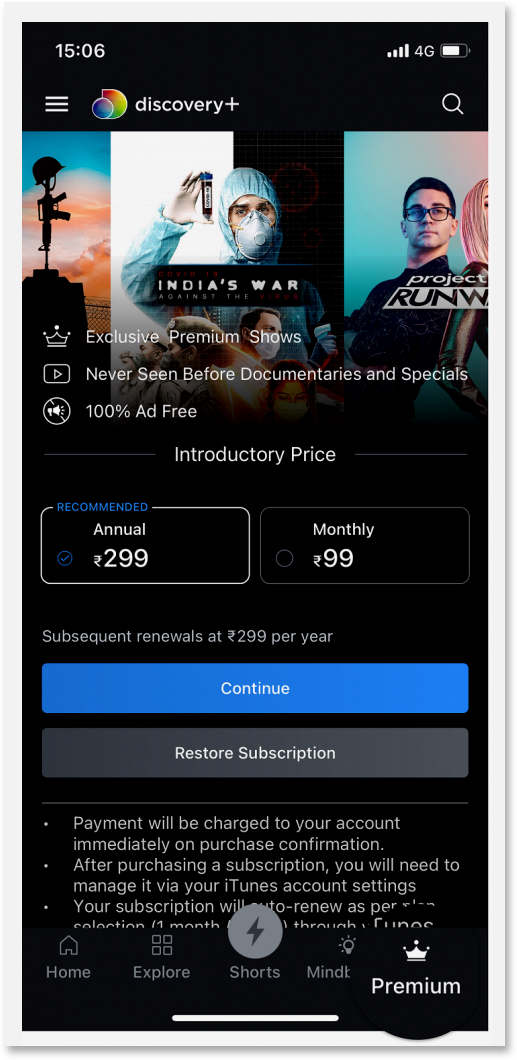
You can experiment with these different revenue strategies to find out which one works best for you. For example, you might use a combination of AVOD and SVOD to serve free content and upgrade the user to premium, gated content. You can also include exclusive live-stream content and charge on a per-view basis. The flexibility in revenue models gives users the choice to view the content as they desire while providing a revenue stream for you.
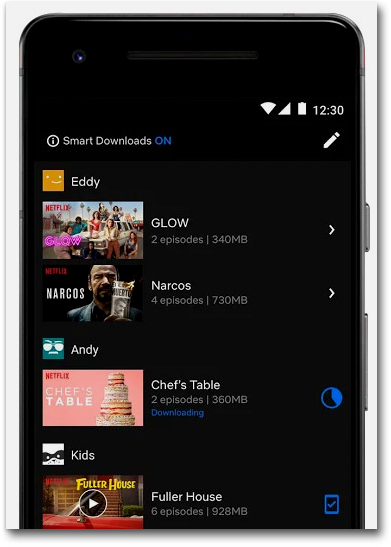
Other features that may be used to differentiate your brand are Chromecast (casting content from mobile to TV), offline download for mobile apps, mini-player, Picture in Picture (PIP), and DRM. You might also consider playback features like audio track selection, quality selection, and playback speed control.
A Final Note — Retention Is the New Growth Mantra
Typically, OTT players like Netflix lose almost one percent of their subscribers on a monthly basis. In the first quarter of 2021, this represented a loss of 200,000 subscribers for Netflix and the revenue they produced. That’s why customer retention is as essential to broadcaster success as acquisition.
Adding features that make your OTT app easier to use.
Creating a seamless experience across all devices and platforms.
Testing new and innovative designs to meet the changing needs of the users.
Providing a positive reinforcement or reward to the user for using the app.
Building a friction-free onboarding process.
Personalizing recommendations based on users’ behavior patterns and preferences.
Listening to the user to make them feel valued.
Ultimately, acquisition and retention come down to following one universal principle – “keep the customer happy.” And designing and developing a cross-platform OTT app is a step in the right direction for today and tomorrow.
UX design has been a critical aspect of aviation for a long time, from the creation of cockpit systems to the development of cabin design and passenger experience. With the introduction of more refined UI and new technologies like AI/AR, and Biometrics, airlines are continuously looking at ways to enhance UX in Aviation. These exciting new technological advancements in the aviation industry are being enabled by robust new user experiences.
From the past, airlines have already been making significant efforts in improving the passenger experience from varied seating choices to chef-designed meals. Aircrafts are now also able to access real-time data directly from the ground, improving situational awareness and increasing control capabilities. Mobile devices will also gain access to wider navigation information and improved passenger services, ensuring that users of their devices will better understand why they’re using it.
However, improving customer experience is a never ending process and even now passengers tend to report that they are left looking for more in terms of improved UX. In a world where customer is king, it falls on the aviation industry as a whole to tackle its UX challenges and find CX improvement areas. Only then it may be able to appeal to the next-generation of customers.
Some UX Challenges and CX Improvement Areas in the Aviation Industry
According to McKinsey, the overall traveler satisfaction level hasn’t seen any kind of decline post pandemic. In fact, many have found the travel experience to be better than it was before the pandemic.
Source: McKinsey
But these surprising numbers in customer satisfaction are mostly derived from leisure travelers who maybe just feeling happy to be on the road again. There are still major UX challenges and improvement areas like flight cancellations, delays, rebooking hassle, compensation merry-go-round, loss of time and money among others.
These are just a few examples of the vast majority of UX challenges generally faced by customers while traveling via air. Some major challenges and improvement areas in customer experience journey are:
#1 Non-uniform travel experiences
Till now aviation companies were looking to continuously improve only the in-flight passenger experiences while somewhat disregarding the other touchpoints for passengers. But now there is a need to improve the customer journey in all aspects of their travel by working towards an omnichannel experience. This will provide a seamless end-to-end customer experience by airlines from booking tickets to arriving at their destination.
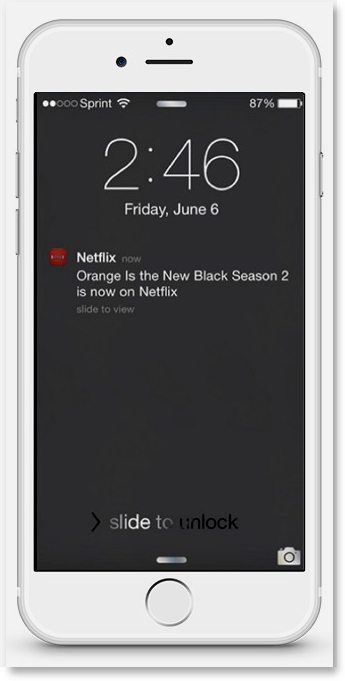
The new generation of customers are driven by seamless smartphone experiences and seek for the same everywhere. A big step to achieve this is by providing important notifications via normal text or via app notification. Airlines are now expected to be able to provide pre- and post-flight information, timely updates and assistance to customers.
#3 Longer processing time
Earlier, the check-in experience was already a tedious task, now add new norms after the pandemic and you got a steep challenge to keep your wits end together. The new health check regulations have undeniably added more minutes to the long waiting time of passengers patiently waiting for their turn to check-in.
#4 Undeniable influence of Online Travel Agencies (OTAs)
While OTA websites drive most of the traffic, the actual purchase is generally made on the airlines’ own website/app. Still, when it comes to easy website navigation and other UI/UX features, airline websites lose the battle. Even in today’s time many travelers find booking a ticket very stressful and confusing from airlines’ own website.
#5 Increase in CX while maintaining operational costs
FSC or LCC carriers used to cater to very different class of passengers who were either driven by flight experience or price. As it is becoming a challenge for aircraft carriers to attract new set of passengers, they are looking for ways to attract both these set of customers without compromising much on customer experience.
In our article on digitalization effects on leisure and travel industries, we pitched a Right Price Model for airline business which tackles the important CX initiatives while maintaining operational costs.
How New Technologies are Boosting UX for Airlines [with examples]
One of the main enablers for improved UX is the emergence of newer technologies and their applications in aviation industry. These technologies are digitally transforming the aviation industry and paving the way for a customer centric airline industry.
Some of these technologies and their real life examples are listed below –
#1 Blockchain Technology
Using blockchain technology helps airlines to securely maintain user data and privacy across multiple touchpoints via a digital ledger. The technology can find its use in identity management & record keeping, cross integrations for seamless travel experience, building robust data security systems and airline maintenance.
Air France deployed blockchain technologies to create a COVID-19 test verification system via a mobile app during the pandemic. Singapore Airlines uses blockchain technology for their frequent flyer loyalty program using KrisPay. It also offers promotions to customers along with the program.
#2 Augmented Reality and Virtual Reality (AR & VR)
AR and VR technology when used correctly can not only enhance the UX but also help in improving the customer experience of navigating through the airport or aircraft. The obvious uses of AR and VR technologies can be seen in airports. For e.g. AR/VR can show the passengers cabin experience on VR headsets, provide a digital tour guide, show fastest route through airport, etc.
The Gatwick airport uses AR to help passengers navigate the complex layout of the airport, and London City Airport has installed AR tech to help air traffic controllers with the vital job of keeping planes safe.
#3 Artificial Intelligence (AI)
AI integrated with machine learning, and predictive analytics can help immensely in providing a connected and customized experience to the flyers. Further, AI also has the potential to ease out various operational processes of airlines like revenue management, managing ticket pricing, etc.
Shenzhen airport in China uses AI for AI airbridge allocation as well as for AI turnaround times. Air France implemented the specialized AI platform called Sky Breath that collects data from the flight, performs in-depth analytics, and helps identify fuel-saving opportunities and increase efficiency.
#4 Biometrics
Biometrics is not new to aviation. All the major and minor airports started implementing it since 9/11 to improve their security details. But over the years it has found use in improving passenger experience as well by improving the time and speed of check-in and other operations. In fact, use of facial recognition has been proposed for airports to cut down on flight delays by 80 percent.
Fraport in conjunction with Zwipe have agreed to trial their biometric solutions to boost security at Frankfurt airport. Miami International Airport and US Customs and Border Protection (CBP) started rolling out biometric technology with a few airlines back in 2019. MIA is now seeking a huge biometric push by 2023 that will serve multiple purposes.
#5 Internet of Things (IoT)
The airline industry is using IoT to build a integrated ecosystem combining the organizational functions to increase efficiencies and provide a seamless experience to their customers.
Virgin Airlines have implemented IoT in its Boeing 787. Every single element on the plane is attached to a wireless airplane network, providing real-time IoT data on elements like performance, maintenance, etc. EasyJet’s Mobile Host at London’s Gatwick Airport combines the traveler flight details with live data from the airport’s Google indoor maps. This allows the airline to deliver updated check-in reminders, gate updates, and even personalized directions.
#6 Mobile Solutions
Airlines are using the mobile platform to connect with their customers throughout the passenger journey starting from booking a flight to deplaning it. Airlines can send real time alerts and notification on and off the airport.
Almost all airline carriers nowadays send real-time flight notifications from post booking to deplaning. These include self check-in, flight delay notifications, feedback, etc.
#7 Hearable, wearable & Voice Technologies
These technologies have increasingly found various usage in aviation from internal communication between flight attendants, voice searches, voice bookings to voice check-ins. These are also used in conjunction with in-flight connectivity which provide a real opportunity to drive conversion, upsell items on flight.
#8 Advanced Data Analytics and Big Data
Aviation companies collect traces of customer data from each stage of their travel journey, be it planning, research, reservation, stay, or post-travel review of their experiences. They can use insights from this data and advance analytics to provide a high degree of personalization to the travel experience which in turn could help in building customer loyalty.
These technologies have the potential to revolutionize air travel as we know it. The airline industry is on the precipice of a breakthrough, and most of the credit goes to the wave of digital transformation across the industry with CX as center.
Technology in each step of airline customer journey
As you can see how much of a bigger role technology plays in designing the UX of travelers. Let us further break down the whole customer journey into 5 different stages and discuss how technology plays a vital role in each step.
1. Pre-booking – Airlines can offer a digital tour guide powered by a personalization engine to show destination highlights based on individual customer preferences. Airlines use data analytics telemetry based pattern identification to drive loyalty management programs and offer dynamic rewards while booking.
2. Booking and Check-in – Airline companies can use geolocation based service and marketing apps to offer transportation services, bot assisted agent or self service changes. Geolocation also allows display of local language and currency on website for familiarity and convenience while booking and payment.
3. Airport Experience – Use of IoT baggage tags providing real-time tracking, self-tagging and activation. Biometric enabled check-in and security check. A combination of AR/VR enabled mobile computing, AI, robotics, Big Friendly Data (BFD), Intuitive UX, and wearable technology to help users in self-service check-in to intimate boarding experiences.
4. In-flight experience – Taking help of big data and hearable, wearable & voice technologies to enhance in-flight experiences with traveler loyalty services, communications, and purchases.
5. Post-travel – Mobile solutions to assist in un-boarding and baggage claims. Also, sending customer satisfaction surveys post travel for better personalization in upcoming travel plans.
How Airlines are Ensuring a Highly Personalized Experience for Customers
Introduced in 2012 by IATA, the NDC airline standard is now helping airlines break away from over-reliance on GDS intermediaries. Airlines can now offer more differentiation, push new offers right away on their website, and provide high class personalization to their customers.
The NDC standard ensures each ticket seller stays up to date with each airlines’ newest offers and products. Other benefits of NDC includes:
i) Direct access to upgrades, exclusive packages, or limited-time offers even when customer is booking from a third-party.
ii) High personalization according to individual preferences across customer journey.
iii) Advance level of comparisons for all airline options, including their different services, products, promotions and of course, prices.
iv) Speed to market while distributing products widely across third-party agents or sites.
v) Same content across airline website and travel agent sites.
In short, NDC allows airlines to take control of their purchase and distribution when dealing with customers. This ensures a high level of customer experience from the airlines.
Possibilities for Airline Industry
As new technologies find ways to integrate themselves across various industries, customer expectations are growing higher and higher. Technology is now playing a major role in UX design for the whole airport and airline experience for customers. Today, what looks mind boggling due to technology may become standard norms in near future.
It is very important for the aviation industry to keep evolving with the growing trends in CX and UX. In times to come the airline travel experiences are set to become more personalized, valuable, and memorable for the flyers.
Consumers have an abundance of choices today, so brands might rightfully rejoice when acquiring users. However, user acquisition does not guarantee user engagement, and this oversight can have a spiraling impact on retention. All businesses, even the neighborhood retail stores, know that acquiring a customer is more expensive than retaining current customers.
In businesses where digital experience is the brand experience, user retention is even more challenging, as an average consumer has a multitude of apps for different purposes. Disengaged users are a red flag for mobile-led businesses, signifying potential revenue loss.
Existing users are an asset waiting to be tapped, with a direct way to reach them already in place. User retention cannot be an afterthought; it needs to be planned for even before a single line of code is written. How do we then go about retaining, activating and engaging current users?
Digital products that are most successful demonstrate good behavioral design by engaging users regularly, making them believe they can’t live without those apps. In building our user retention strategy, we can no longer overlook the human-centric design approach.
Donald A. Norman, in his book Living with Complexity, writes:
We can create positive customer experiences by placing users at the center and making sure that all the touchpoints address their needs—or, better still, predict their future needs seamlessly, which is the fundamental premise of design thinking. Involving the end user at every iteration (ideation, innovation, co-creation of solutions, continuous improvement) opens up avenues to discover ways of improving user experiences—and, thereby, retention and business growth.
Key Elements Of Design That Help Retain Users
Successful design attracts users through an emotional trigger, incentive or motivator that encourages a positive action or investment leading to a reward. With each use, they see themselves earning brownie points or feel valued even if the reward is not monetized. Users return to the app because they want a repeat experience.
Another element is the intuitiveness of the design—convenience of use, flexible features, consistent performance. Particularly when an app is enriched with complex features, simplifying the interface and making it intuitive (both UX and visual elements) can ensure that any time spent on learning the app seems worthwhile for the user.
However, this does not mean the design is perfect right away. The very essence of design thinking is that there is always room for improvement and the app keeps evolving so users remain interested and engaged. The loyalty of Apple phone users is based on the promise that with every iteration, the product is only getting better. Therefore, it’s important for design not to stagnate but to be iterative, innovative and tested to be able to meet their changing demands.
Tuning in to the demands, needs and unique context of the user tops the list in design thinking, and it begins from the moment the person downloads the app and starts a relationship with the brand. Behemoths like Apple and Disney, as well as digital native startups, have opened up our world to design thinking as a user-centric practice. Brands like Ikea continue to attract and engage users because of the do-it-yourself factor that instills a sense of ownership and pride in the product that the buyer has “put together” on their own.
Design Thinking Elevates User Experience
Today, brands and businesses also have the power of big data and artificial intelligence to guide the narrative around key business decisions and customer engagement.
While data and design have delivered immense value as separate disciplines, there is great merit in understanding what they could offer in combination for user retention. A McKinsey study of the design practices of 300 companies found that “the top financial performers had integrated design across the organization rather than creating design units within specific departments.” McKinsey also estimated that “60% of companies successfully scaling analytics to solve problems across the organization used cross-functional teams.” That means data scientists and researchers are sharing insights and coffee with visual designers and graphic experts on how to arrive at the best or most viable solutions to address specific user needs.
Based on what data analytics tells them, design thinking can help at key phases of the brand-user relationship: onboarding, nurturing and attrition.
Onboarding is the most important and needs to be friction-free. First impressions last, and they need to be immersive experiences that immediately introduce the user to the app’s unique features. A common feature of apps with “user love” is that they provide an instant connection to users with a simple user interface, making it easy for them to start using the app without a fuss. The simplicity of design encourages them to come back and explore unique features that they could potentially leverage repeatedly.
Nurturing user habits is a must, as merely hooking them initially doesn’t guarantee continued interest. Their engagement can be sustained by encouraging them to cultivate habits that are supported by the app and infusing a greater sense of personalization in the user. Push notifications and personalized recommendations based on predictive analyses of the user’s personal data, behavioral patterns and preferences need to be baked into the digital strategy.
The “listening to the user” aspect of design thinking in combination with data plays a vital role in the attrition phase. It allows the app to evolve along with the user’s changing needs, feedback and reviews. Telling users that their inputs are valued and acted upon in the form of new features and upgrades can enhance their sense of loyalty and likelihood of returning to use the app.
In The Design of Everyday Things, Norman says: “Cognition attempts to make sense of the world: emotion assigns value.” As research suggests, a marriage of the two could well take user engagement and business growth to unimagined heights.
Since time immemorial, there have been a small class of people who were creators and a larger group who ‘consumed’ such content. Books, plays, music, paintings, movies and much more were created and performed to an audience. As new platforms and technologies emerged such content took several shapes and forms.
In the pre-digital world, those who offered and controlled a platform or medium decided which content was to be promoted. A newspaper could decide to promote a news item prominently or push it away to the back pages. A studio could offer a platform for worldwide release or a niche audience. Radio stations played a major role in the popularity of a song. Higher the reach of such a medium or platform, better the impact.
In the digital era, while the content format became different, several old media rules were still at play. Online portals, social media platforms with huge reach either decided or controlled which content went viral. Sure, there was no scientific or empirical way which guaranteed which content bubbled up to the top but user-generated content came into its own. This trend owes a lot to YouTube – its ease of use and popularity. Of course, affordable high-speed data plans and mobile handsets played a role too.
The term ‘YouTuber’ became common and one heard of a select few earning millions of dollars through advertising on their YouTube channels. Ryan Kaji, a 9-year old boy earned nearly $30 million from his channel which features reviews of toys and home science experiments. Marques Brownlee or MKBHD, a popular tech & gadget reviewer has 14.9 million subscribers at the time of writing and earns through advertisements, affiliate income and more. Undoubtedly the content created by such YouTubers benefits from the platform’s popularity and reach. Google, in turn, earns from advertisers who place ads in such videos. In 2020, YouTube earned $19.77 billion – approximately 10.9 percent of Google’s total revenue, from advertising. Monetization through advertising was pretty much the only business model up until a few years ago for creators.
What is the creator economy?
The creator economy refers to 50 million+ independent content creators, curators, and community builders involved in free & paid content creation and distribution on software platforms/apps to their “followers”.
A combination of factors has resulted in a change in the ecosystem leading to what is now called the creator economy. Over the years, a small group of creators (writers, photographers) published content and acquired a small base (mostly) of readers and followers. WordPress, Flickr and such apps enabled such distribution of content.
According to Stripe, ‘the earliest creators uploaded Flash animations to DeviantArt or scanned manga illustrations to Xanga. But they didn’t have the tools to sell their content to earn a living as a creator online.’ The hallmark of such a trend was that most such content was free to consume. Popular YouTubers and bloggers who baked in Google AdSense into their sites earned money through ads, but this wasn’t an option for smaller players. The ‘creator’ mostly never got paid through a regular, predictable business model. The rise of social media and acquisition of a large number of followers, even for non-celebrities changed the equation.
The creator economy and its landscape
While there are many definitions and expressions of creator economy, a simple way of understanding it is to see it as:
“An ecosystem which enables any creator to monetize their output.”
The key difference between the digital era of just a few years ago is that the creator economy has widened the base of ‘creators’ and practically enabled everyone to be a creator and monetize their work. It is no longer only about the famous writer or established filmmakers – regular everyday folks can express their skills and passion – be it in cooking, singing, dancing or teaching. Also, the tools which enable this economy are diverse and easy to acquire and use.
The monetization model too changed beyond just advertising – with options such as subscription, sponsorship deals with brands, one-off purchases and donations. Also, the ability to reach and influence a small group of like-minded people or groups with similar interests is higher in the creator economy. Someone with deep knowledge in say, investing can create a loyal following through a podcast or video series. A writer can acquire several thousands of subscribers through newsletters. In 2017, nearly 17 million Americans earned income posting their personal creations on nine platforms.
“A creator, such as an artist, musician, photographer, craftsperson, performer, animator, designer, video maker, or author – in other words, anyone producing works of art – needs to acquire only 1,000 true fans to make a living”
Kevin Kelly, 1,000 True Fans
The creator economy is also referred to as the Passion Economy as it is different from the concept of being paid for gigs such as driving or food delivery. As Ji Lin says, ‘New digital platforms enable people to earn a livelihood in a way that highlights their individuality’.
Creator economy and the common content types
Below are some of the content types, platforms and tools which have gained popularity enabling the creator economy:
#1 Text: This could include short essays, long form content and newsletters: ‘The home for great writing’ is the simple premise of Substack, which started off as a tool for starting paid email newsletters. While a majority of its newsletters are free, there are more than 500,000 paying subscribers. According to The Guardian, ‘Substack takes 10% of subscription earnings and payment company Stripe takes a further 3% with writers taking the rest. Writers charge around $5 a month (£3.66) or $50 a year for access to their newsletters, although the platform’s many free newsletters also have a big following.’ The Top 10 publishers on Substack earn $7mn per year between them.
Source: Substack
There are several stand-alone portals and newsletters which offer both free and gated content. Niche subjects such as business journalism, especially the investigative kind, find takers who are willing to pay for such content driven by the belief that it’s worth it. The USP of such business models is offering opinions, trends and analysis.
#2 Video content: Short form videos sit well with those seeking casual entertainment on the smartphone. After the success of TikTok several clones emerged in various countries.
Source: Instagram
Instagram’s Reels and YouTube’s Shorts have made video creation easy for many. Google even set up a fund of $100mn as a means to payout to video creators. The biggest advantage of such platforms is they don’t need expensive shooting gear, just a good smartphone and an app.
#3 Audio content: Even prior to the COVID-19 pandemic, podcasts had a huge fan following (remember the buzz around Serial, the podcast from 2014?). The long stretch of staying at home boosted consumption of both audio and video streaming content. Aside from the pioneer Apple Podcasts, the rise of Spotify and other regional platforms augurs well for content creators. Tools such as Anchor, Podbean and more make it easy for content creators to only record but distribute their content on popular platforms.
Here are a few startups which cater to niche segments:
Pietra: helps influencers connect with designers and manufacturers in product creation.
Trading.TV: is a streaming platform for the financial community.
Stir: is a money management platform for creators.
The role of UX in the creator ecosystem
If all of this sounds as if one simply has to sign up on a platform and be ready to count the money, that is far from the truth. When designing a platform or tool meant to aid the creator economy the following needs to be kept in mind:
Information overload: all of us are facing information load from both traditional and new media. Many in the digital world are opting for a break if not going offline completely. In that context, the content out there has to be truly compelling, slick and convey that it adds value for the intended audience.
Subscription fatigue: consumers have a limit to what they can consume. And when it comes to subscriptions, even more so. So be it an OTT service or a paid newsletter a consumer will face a moment of trade-off before committing to a payment.
Need for educating and guidance: the entrants to the creator economy are not just the digital natives. Many who have established careers may try their hand at monetizing their expertise. The platform they choose to adopt with this intent should be able to guide them on the steps that need to be taken to complete the desired action. It takes a combination of copywriting and design as exemplified by Substack which has a Resource Center with inside tips and expert advice for writers.
The role of technology in the creator ecosystem
Technologies such as Non-Fungible Tokens powered by Blockchain are enabling the creator economy. NFTs are units of data which prove digital ownership. The use cases may include any asset such as a movie, song, photograph or collectibles. Celebrities from the entertainment industry and sports professionals have taken to NFTs in a big way. After all, a winning moment in a sports arena is something a professional would cherish and should be able to monetize. NFTs are also a boon for sports fans looking to own collectibles. NBA Top Shot is a marketplace for the fans to purchase and sell video clips of basketball games.
McLaren Racing, the popular F1 racing team, has launched a platform where its fans can purchase McLaren Racing branded digital collectibles or NFTs. The platform, named the ‘McLaren Racing Collective,’ will serve as a destination for future opportunities to own a piece of exclusive McLaren Racing collectables.
Boonji Project, the debut NFT project by world-renowned artist Brendan Murphy has surpassed $15.5 million in its Dutch Auction Primary Sale, anointing the project as the largest NFT primary sale in history.
In India, cricketing legend Sunil Gavaskar and others have taken to NFTs to launch collectibles. Reports indicate that the Indian film industry too has shown interest in this trend – autographed posters, clips and more are eminently suited for use of this blockchain technology.
Crafting a digital experience in the creator economy will need to follow the basics of any process to create products which consumers love. First off, scanning the market for need gaps and consumer pain-points to identify the opportunities. Next, defining the intent of the app, the feature set and a road map. The feature set will depend on the domain – such as education, video creation or any other. Profile creation, chat systems, shooting and uploading of documents, ability to complete frictionless payments could be some common features. Intuitive design, the right technology stack are other elements of the process.
Summing it up
The creator economy is still in the development stage but has the power to make a huge societal influence consisting of a diverse set of creators. It provides equal opportunity to all its creators despite large differences in their net worth and fan following. The creators can be celebrities, content producers, and influencers. The advent of the creator economy has stretched the meaning of influencers too as it can further be classified to – key opinion leaders (KOL), brand ambassadors, affiliates, and customer advocates.
This microcosm of creators has led a resurgence in how brands are now finding new innovative ways to reach their customers. The subsequent effects are seen in these creator platforms innovating within their app/platform to attract more creators and brands.
In conclusion, the creator economy is an exciting opportunity for content creators, users and enabling platforms, powered by the engines of intuitive design and technologies.
In early 2005, Wayne Westerman, founder of Fingerworks, wanted to find a convenient solution to use a computer without stressing the hands. The objective was to help people like him who suffered from carpal tunnel syndrome or other such issues to comfortably work on a computer. He and his team invented a way to replace the keyboard with a touchpad. The invention was initially marketed to people with hand disabilities, but over time popularity of the solution grew among a larger group of customers. Fingerworks later sold its invention to Apple inc., which built its first gesture-controlled multitouch interface – the iPhone. The use of button-free gesture control in the iPhone kickstarted the ‘focus on user’ revolution and fundamentally changed the principles of UX design. This is what Designing for Inclusivity is all about. It requires starting from identifying and finding solutions for specific pain points which can lead to exclusion of a certain group of users, then designing experiences that can benefit a diverse group.
In the book Mismatch, Kat Holmes, (former Principal Director of Inclusive Design at Microsoft and an author) illustrates how exclusion is innate to any design if we do not identify it, and how solving for exclusion can lead to benefit of a larger group:
Imagine a playground full of only one kind of swing. A swing that requires you to be of a certain height, with two arms and two legs. The only people who will come to play here are people who match this design, because this design welcomes them and no one else. And yet there are many unexplored, different ways you can design an experience of swinging. You can adjust the shape and size of the seat. You can keep a person stationary and swing the environment around them. You can support the body without holding onto the ropes. Participation doesn’t require a particular design. But a particular design can prohibit participation.
While designing a product or a digital experience it is easy to fall into the trap of generalizing when and how it will be used. But, when those stereotypes are broken it paves the way for inclusive designs and innovations that can benefit a large and diverse group of users.
In this article, let’s deep dive into why every experience must be approached through a lens of inclusivity and the best practices that we can embrace for creating inclusive designs.
Understanding The Difference Between Universal Design, Accessibility and Inclusivity
Universal Design and Inclusivity and Accessibility – these terms are often used interchangeably. While all of them converge together to solve the common objective of creating designs that have minimal exclusion, they differ from each other. Before we talk about inclusivity, it is important to understand the difference between Universal Design, Accessibility, and Inclusive Design.
Universal Design – stems from the objective of making a product, environment, or interface usable by as many people as possible without the need for any adaptation. Motion-operated automatic doors are an example of Universal Design. Universal Design has a one-size-fits-all approach.
Accessible Design – Accessibility in design focuses on users with disabilities and is a subset of Inclusive designs. Web Content Accessibility Guidelines 2.1,was initiated to improve accessibility guidance for three major groups: users with cognitive or learning disabilities, users with low vision, and users with disabilities on mobile devices. Accessibility is an outcome of inclusive design practices.
Inclusive design involves designing for a specific individual or use cases that are not generic and then extending it to a diverse group. For example – the invention of the email was driven by the need of Vinton Gray Cerf, who is hard of hearing to communicate with his wife who is deaf. The email was a way for them to stay connected when they weren’t in one room.
Another such example is the invention of captions. On August 5, 1972, “French chef” Julia Child, in a program televised from Boston’s WGBH studios, became a historic broadcast because it was the first time that deaf and hard-of-hearing Americans could enjoy the audio portion of a national television program through the use of captions. Since then, including captions and subtitles in videos has become a best practice for creating videos, which also benefits people beyond the ones who have difficulty in hearing or are in an environment that does not allow a clear hearing.
Designing for Inclusivity can lead to such remarkable inventions.
However, in most cases, inclusivity is an afterthought in the design process. But, having it ingrained into the product design and development process can drive innovation and business. Here are a few examples:
PillPack founder T. J. Parker wanted to ease out the challenge of opening child-proof caps by people with limited dexterity in their hands. They also wanted to minimize the risk of patients mistaking their prescriptions, especially the ones on multiple medications.They partnered with IDEO to design a more accessible pill bottle and reimagined the prescription delivery service. When patients order their prescriptions through PillPack the medication arrives in presorted packages, where patients could simply remove one small pouch that contains the right medication for the right time of day. This innovative solution, born out of the need of a specific group of users proved to be a boon for 30 million people who needed to take more than five prescription medications in one day.
The Americal Live a weekly public show broadcast created full transcripts for their online archive of hundreds of episodes. The objective was to make content accessible to people with hearing disabilities. This move helped them in reaching out to more audiences than ever. Not only did their website traffic rise drastically, but a substantial percentage of the unique visitors came due to the transcripts.
Role of Empathy in Creating Inclusive Designs
At Robosoft, we believe in the principles of Design Thinking to create human-centric digital experiences. Empathy is the first step of the Design Thinking process that helps to understand the pain points of the end-user. At the core, the primary goal of creating inclusive designs is lowering the barriers that can exclude users from using digital products and interfaces effectively. A lot of times these barriers occur when product teams think about a design only from their experiences and world view, which results in retro-fitting inclusion and accessibility to the design.
A lot of product teams and designers work with a Bell-Curve approach. A bell curve approach means designing experiences for the majority of the people, or the ones who lie in the middle of the bell curve, automatically leading to the exclusion of people who fall on the edges of the curve (the edge cases).
This exclusion of the ‘edge cases’ could mean the exclusion of a user need that can lead to an important feature benefiting a diverse group ( including the ‘average people’ who lie in the middle spectrum of the bell curve).
Designing for inclusivity requires including and learning from people with a range of perspectives. This is where Empathy plays a key role.
Learn how people adapt to the world around them. Bring that into your design practice— Tim Allen, VP, Design at Airbnb
Empathy plays a critical role while creating a user persona. It is a tool that helps product teams look beyond their experiences and understand where the user is coming from. It is critical to understand the pain point of the users who are at the left of the persona spectrum – which means they face the maximum mismatch with a product or interface. And then extending the design for a diverse set of users – who may face the same challenges depending on their situations.
User Persona Spectrum – from the Book Mismatch
Best Practices of Designing for Inclusivity
It is critical to think about products or experiences from the mindset of inclusivity, right through the entire product development process – from strategy and design to development and testing. Let’s take a look at the best practices for designing for inclusivity from these aspects.
1. Identify the Points of Exclusion
Before starting the process of inclusive design, the product teams must seek out the points of exclusion. This means what are the aspects that lead to exclusion of a user and then solving for them.
Designing for inclusion starts with recognizing exclusion.– Kat Holmes
This can include the following:
Recognizing personal biases.
Involving a wide and diverse set of users throughout the designing process. Especially the ones who are most likely to be excluded.
Identifying exclusion that can occur on a situational basis – this can lead to experiences that can be extended to users who can face challenges in experiencing a product due to their situational environment. This means solutions designed for users who are deaf or HOH (Hard of Hearing) can also benefit those who are navigating through a loud airport.
The Americans with Disabilities Act has legal provisions that address the difficulty of hearing in airports, they cite videotext displays as the most important auxiliary hearing aids that airports must provide. Airport televisions are also required to display captioning at all times. A service that can help all passengers while navigating a noisy and crowded airport.
The beauty of inclusive designs is that it puts people at the center of every experience. It requires learning from people with a range of perspectives. User research is an important step towards understanding diverse perspectives and creating experiences that are usable for a wider group of people. These activity cards from Microsoft can help in testing concepts through an inclusive lens. These include understanding a user from various aspects like:
Learning from users who face exclusion permanently – for instance, people with vision impairments face difficulties in accessing all kinds of digital devices. A feature like high contrast screen settings designed for such users benefits a wider range of users depending on the context like – interacting with the device in bright sunlight.
Mismatches in the human-to-technology interaction – most digital interfaces are designed to be used either via a mouse, keyboard, or touch screens. How do people who have constraints of using a hand due to a disability or contextual challenges (like luggage in one or both hands) use a device? This is where a design integrated with voice and speech recognition technology comes into the picture.
At Robosoft, we partnered with AAA to design Google Assistant and Alexa Skills that can help drivers get roadside assistance while driving.
Mapping human abilities on a spectrum to design solutions that benefit everyone
Draw parallels between the role of human behavior and technology’s behavior – this means finding the human equivalent of the tech solution that is being designed. For instance, a voice assistant’s role in giving information to users can be in some ways equated to a teacher’s role of imparting knowledge to students. Designers should interview people who perform such roles that can be compared to technology’s role in the user’s life. Take note of what makes them good at their work and brainstorm ways to incorporate those insights into the design of your solution’s behavior.
At Robosoft, we partnered with Penske Media Corporation to create an ADA compliant app for WWD (Women’s Wear Daily) one of their leading industry trade journals for fashion. We did a detailed analysis of the audience segments and created detailed user stories. The solution included features like – text alternative for all rich media content, page titles that describe topic or purpose, an optimized order of content rather than a predetermined sequential order, etc.
3. Design Essentials for Inclusivity
When it comes to design principles to follow while designing for inclusivity, a lot of factors are similar to guidelines one would follow for accessibility. We have discussed the key points including – Fonts, Text and Typography, Color, Forms, Content, and more in detail in our article covering best practices of designing for accessibility. In the subsequent section, we will talk about design best practices beyond the above-mentioned factors.
Start with micro-interactions
With Agile development product development teams can pick small interactions, identify barriers around them and then design and develop features in an incremental pattern. This can help in creating inclusive designs step-by-step, testing them, iterating them without getting overwhelmed by the entire process. Micro-interactions though small can have a huge impact on the usability of an interface. Micro-interactions can provide instant and relevant feedback about a completed action to a user and in most cases, micro-interactions only need a little more effort to be inclusive to all users.
Microinteractions also play an important role in UX writing known as microcopy. It is a small, informative, or instructional text on forms, pop-ups, buttons, search prompts tips, etc.
Microcopy helps in assisting users in small ways as they are navigating through an app or website. It is also an opportunity to engage with users with a quirky and interesting copy.
Navigation and interaction – following Gestalt Principles
When designing for inclusivity it is important to plan a clear and easy-to-use navigation structure. Gestalt principles (principles of grouping) help to organize related items and support a clear visual hierarchy and navigation structure. Here are few points to consider while creating a navigation structure:
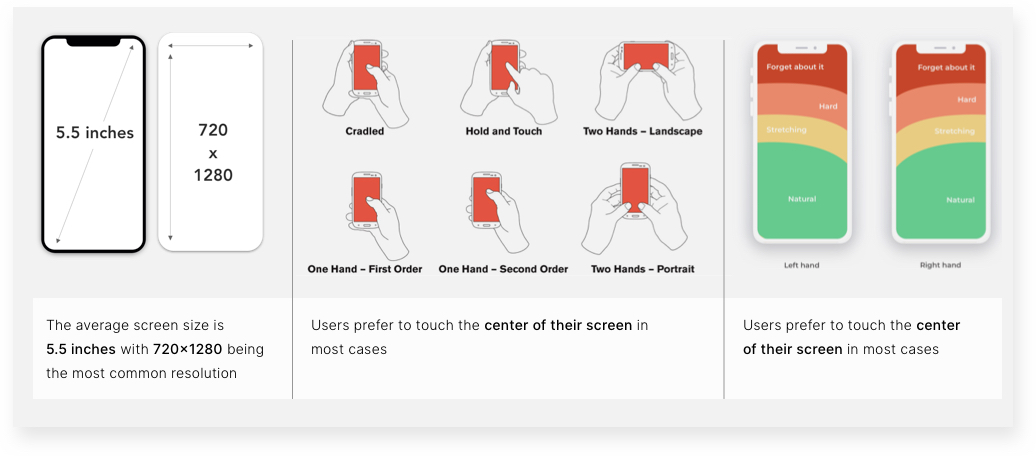
Designing not just for every type of user and screen size, but also for the various ways people hold their device
Easy access to the bottom navigation, which holds key menu items and features that are frequently used to be placed in the mid to two-thirds area of the screen
Design for the context the user is actually in
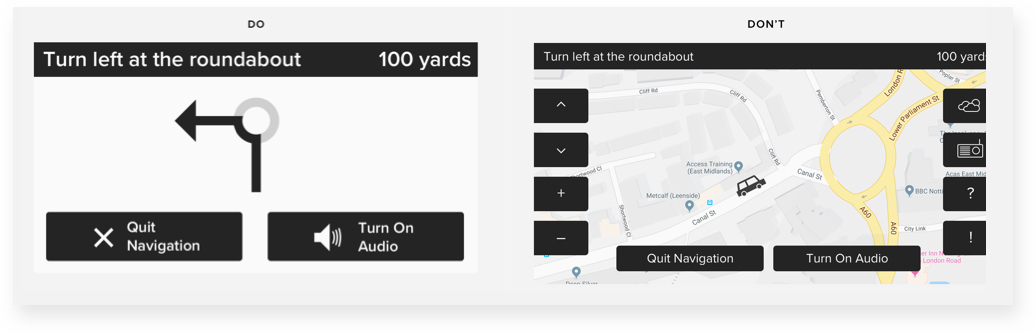
Digital interfaces are used in multiple situations. How the interface appears and functions should reflect and fit into that context. An example of this principle is touch screen interfaces in cars. It can be difficult and time-consuming if the touch target is small and hard to read. So in any in-motion scenario, it is important to maximize the size of the text and touch elements and simplify the presentation of crucial information, like the next route instruction.
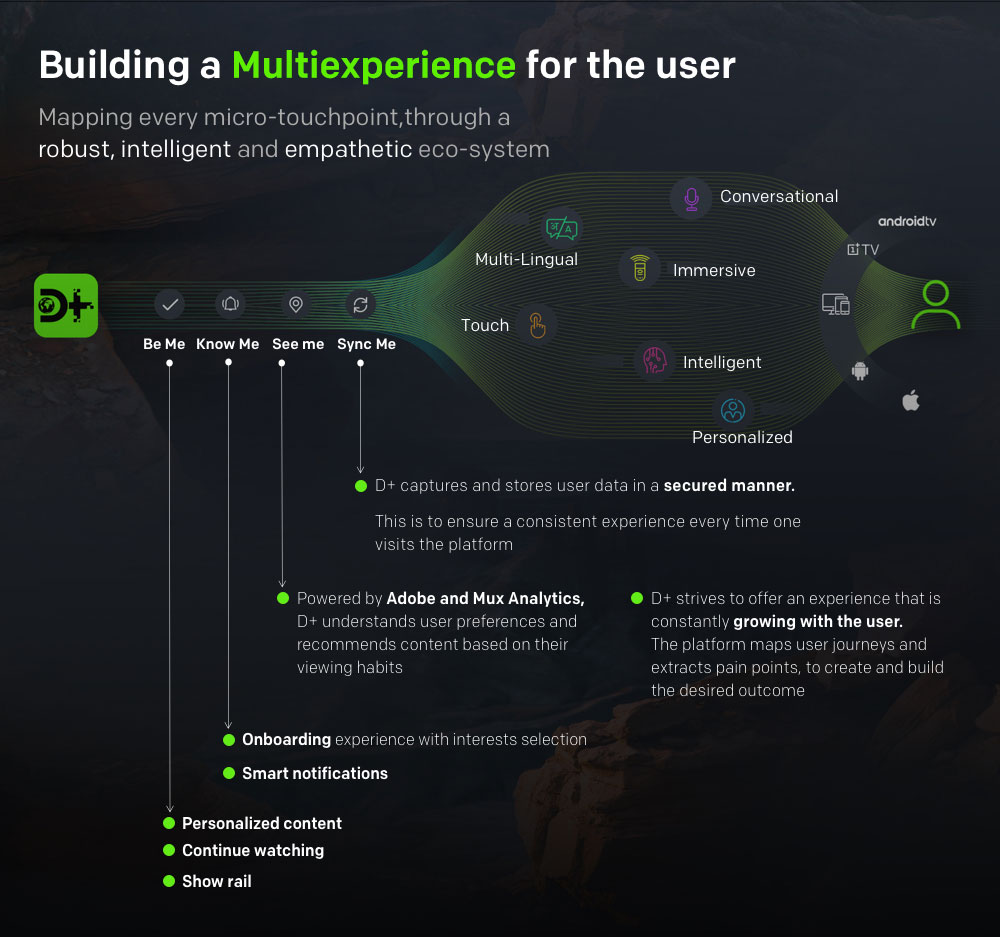
In today’s world users can interact with a digital solution on multiple devices – whichever is most convenient for them at that point in time. Therefore It is important to create multiexperiences – by mapping every touchpoint across the user journey.
Some considerations while building multiexperiences that are inclusive are:
Create fully responsive designs – Rather than “adapting” a desktop design for a mobile device, or vice-versa, designers should consider all device form factors and ensure that extreme cases are taken into account as well.
Ensure the interface responds well when Zoomed. This means – the layout should remain usable and not have any broken or overlapping elements when zoomed whether the user is seeing it on a desktop browser or on a mobile device.
While designing an app, make sure it responds to the user’s device settings for text size and includes native zoom and sizing options if appropriate.
Two concepts that can help rich web applications support more browsers and have a wider reach are:
Graceful degradation is the practice of building an application for modern browsers while ensuring it remains functional in older browsers.
Progressive enhancement is the practice of building an application for a base level of user experience but adding functional enhancements when a browser supports it.
Images and videos
Images and videos can make an interface visually interactive and engaging. However, if not done right they can be the biggest barriers to creating an inclusive interaction. Here are some points to consider while using images and videos:
Minimize image file sizes -All photographic images should be below 1MB, for faster loading.
Use JPGs first – it allows for the highest level of compression.
Include transcripts and captions in audio and video content
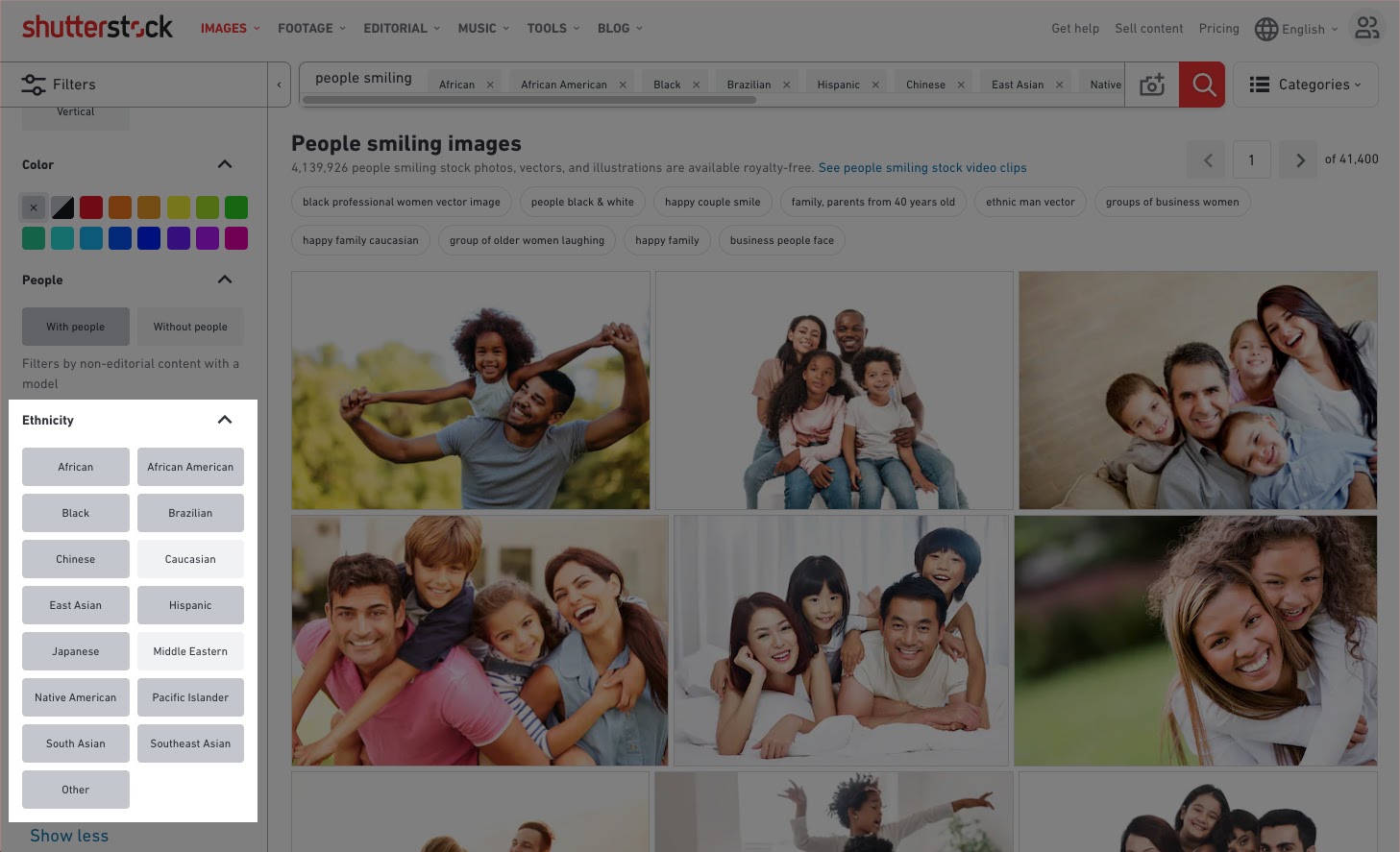
Consider cultural context while adding images and videos – which means using diverse stock images taking into account the existence of different identities, skin tones, body shapes, and abilities.
Don’t Autoplay media – Autoplaying video and audio are generally annoying, and where users are working across multiple apps or tabs, it can be hard to identify the source of the media to hit pause.
Development and markup
A design is only as good as the engineering behind it. Here are some key points to consider while implementing a design.
Don’t use tables for layout – there are two kinds of tables – Data Tables (to represent data) and Layout Tables (commonly used for page layout). Screen Readers treat even the layout tables as data tables and read out their content row-by-row, which can be quite confusing to understand.
Minimize bandwidth requirements wherever possible, and optimize load time
Accommodate focus states and tab and arrow key functionality
Validate the markup for accessibility – Markup provides instructions to the software used for viewing a webpage (web browser) on how the page should look and work. W3 has a free markup validation tool that will help to identify any technical barriers to inclusion, like missing “alt” text.
Applying Inclusive Design Principles to Emerging Technologies
Emerging technologies like Augmented Reality, Virtual Reality, and AI can play an important role in creating inclusive digital experiences. Here’s how:
AR/VR can lead the way towards inclusive designs. As rightly mentioned in this Fast Company article:
VR at its best can do more than immerse: it lets people appreciate new perspectives.
Researchers at Stanford are running “virtual shoes” experiments in which people “viscerally embody avatars” that encounter various forms of prejudice, based on age, race, economic status, and disabilities. The Stanford team is now partnering with neuroscientists to demonstrate how these experiences — can physically change the brain to reduce bias. UNICEF more than doubled the funding it received after screening its documentary ‘Clouds over Sidra’ on a 12-year-old refugee, in a 360-degree video.
Immersive technologies will also play a critical role in creating inclusive workspaces. The US Department of Labor (DOL) is currently funding Partnership on Employment & Accessible Technology, which is focused on laying the groundwork for an accessible future of work led by emerging technologies.
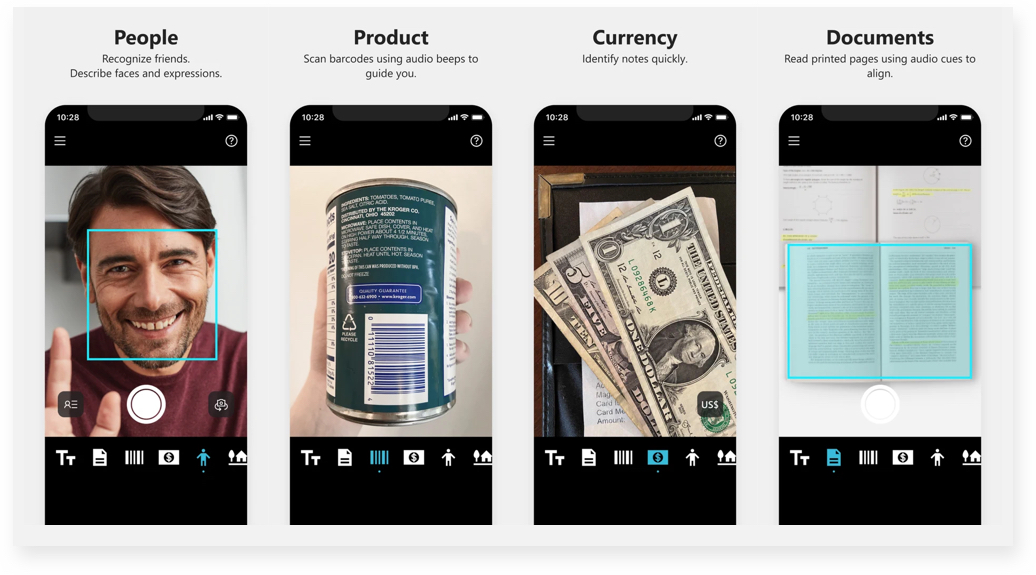
Artificial Intelligence can help create intelligent apps that see, hear, speak, understand, and better interpret people’s needs. Seeing AI is a Microsoft research project that brings together the power of the cloud and AI to deliver an intelligent app. It is an app that narrates the world around you. Designed for the blind and low vision community.
Digital interfaces have permeated most aspects of a users’ life. Depending on the user environment, context or situation a digital experience can be inaccessible or accessible. Designing for inclusion cannot be an afterthought, the design process will have to start with inclusivity. Kat Holmes summarises three critical steps to build inclusive design practices:
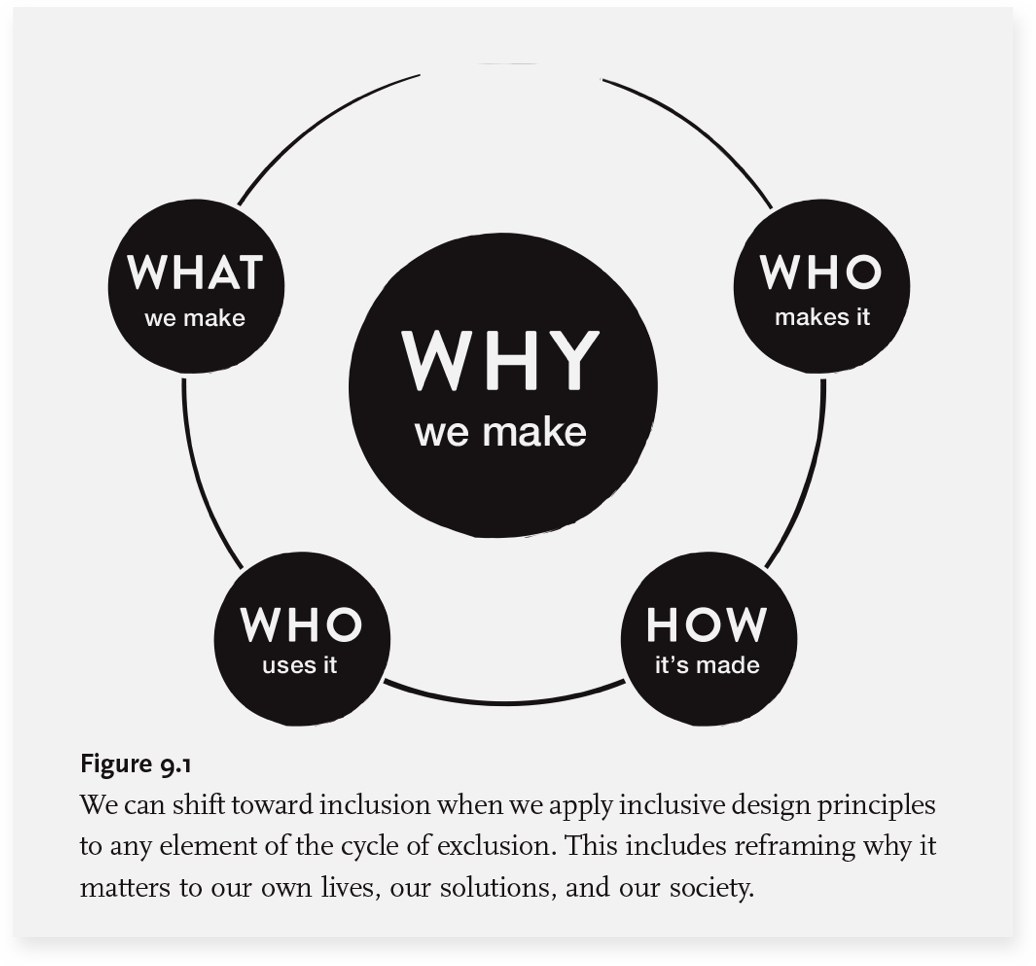
Use the cycle of exclusion to assess where you are today and where to start. Answering the 5 key questions about the experience can be a starting point of identifying exclusion.
The cycle of exclusion – from the book Mismatch
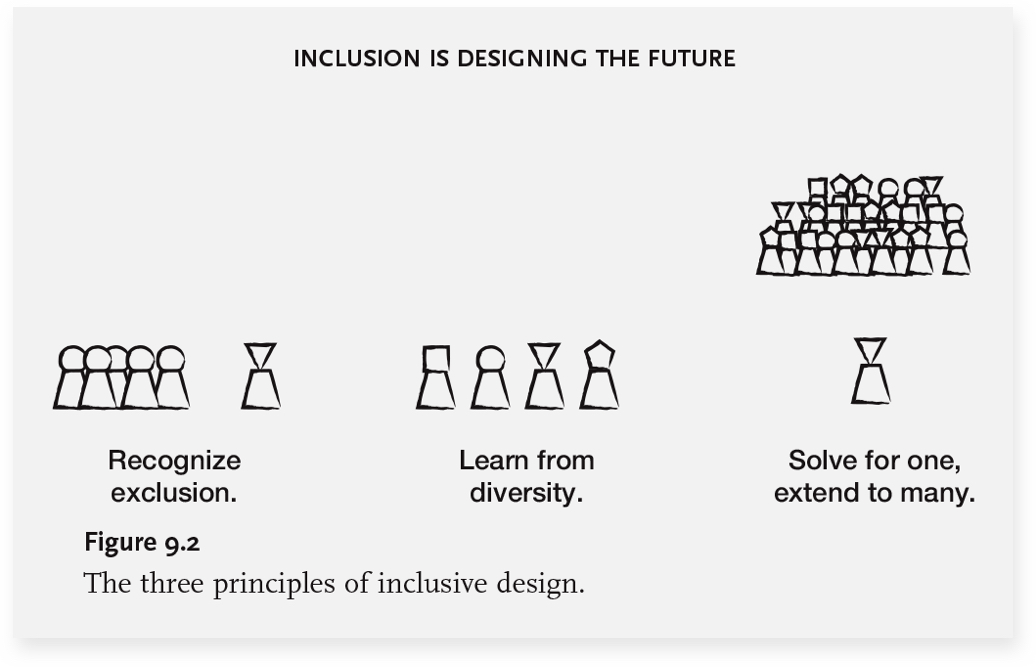
Apply the principles of inclusive design to any element of the cycle of exclusion.
Principles of inclusive design – from the book Mismatch
Integrate inclusive design methods within your team to build a purposeful culture where people can do their best work.
It has become critical for digital experiences to be extended to as many people as possible. More so when digital solutions have become critical to complete day-to-day tasks. Enterprises will have to ingrain a mindset shift that leads to inclusion as a starting point for any design experience. The first step towards this is aligning the organizational goals towards inclusivity. Further, building a team of designers and developers who understand and appreciate the value of learning from a diverse group of users. Once these building blocks are in place, defining the tools and methodologies that can help in creating Inclusive Designs is critical to standardize the practice across organizations and projects. One small change toward inclusion can inspire innovation, benefit a wide range of users in a positive way and drive business impact.
The concept of Accessibility in design was introduced to enable people with special abilities to perceive, understand, navigate and interact with digital products and platforms with ease. Over time, this concept has expanded to help enterprises create digital experiences for a large group of users, regardless of their current circumstances. After all, a design is only useful if it is inclusive – i.e., accessible to a wide group of users.
COVID-19 has accelerated the adoption of digital mediums even for day-to-day tasks and communication. With people avoiding physical contact, some designs that were earlier created for lowering the usage barriers are now proving to be extremely useful. The automatic sliding door in shopping complexes and supermarkets, which was created to make entry and exit easier for people, has now become critical when people do not want to touch physical surfaces.
Enterprises are also improving their digital experiences to meet the demands of consumers in the new normal. A few airports have offered self-check-in kiosks and automated boarding by facial recognition for some time now. Technology is increasingly playing a greater role. United Airlines has recently upgraded its app with a slew of features such as check-in, printing of bag tags, and downloading boarding passes. Additionally, they have also ensured that the latest updates make the app more accessible to people with visual disabilities. To do so, they have increased color contrast, added more space between graphics, and reordered how information is displayed and announced. This way, screen readers will be able to convert text to audio in a more seamless, logical sequence.
Designing for Accessibility – the need and how it can lead to better designed digital experiences
Accessibility and simplicity in design go hand-in-hand and solve usability issues. Taking Accessibility into consideration introduces a set of constraints for designers and inspires innovations that can result in better designed and easy-to-use products for all users.
“It’s really common to end up just designing for yourself. So if you can push yourself to think, How would a different group use this?’ or even How would your kid or grandmother use this? it can lead to a better, more accessible design.” – McKinsey Design Senior Design Researcher Madison Berger.
In this article, we will explore the concept of Accessibility and the best practices to design digital experiences that are accessible to a diverse set of users. We will also briefly introduce the concept of Inclusion and how it differs from Accessibility. Additionally, we will see some interesting use cases and examples keeping in mind the design thinking approach.
Accessible and Inclusive designs – two pillars for creating human-centered digital experiences
Creating Inclusive designs involves an understanding of user-diversity. It is a methodology that is human-centered and means including a varied set of users, with a wide range of perspectives. As per Web Accessibility Initiative, “Inclusion is about diversity, and ensuring involvement of everyone to the greatest extent possible.’’
Accessibility is an outcome of Inclusive Design
Accessibility is an attribute of Inclusive design. Accessibility advocates often describe the concept as providing access to products and services for people with recognized disabilities. However, Inclusive design is much more than creating digital products that can be used by people with different abilities.
Accessibility: the qualities that make an experience open to all.
Inclusive design: a design methodology that derives design inspiration from a full range of human diversity.
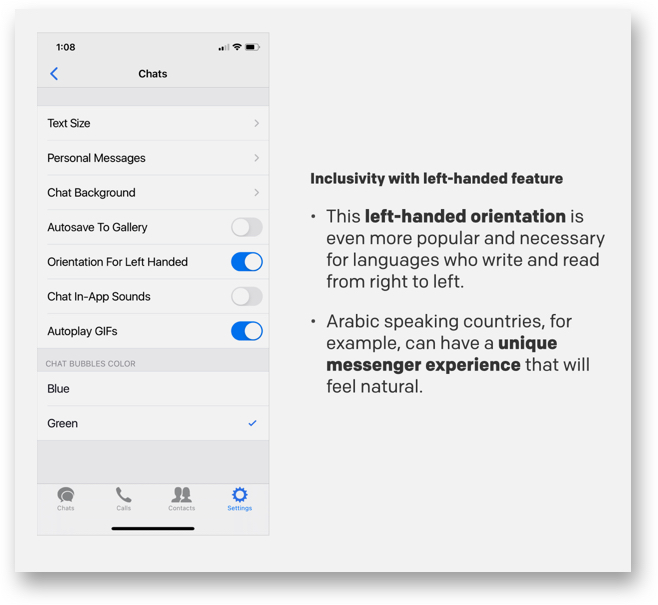
While Accessibility focuses on sections of the population with a defined disability, it is possible that some sections of users may be left out in the process, like users with language barriers. Inclusive designs take into account such constraints that users might have. For example, the Zangi messaging app allows for left-hand orientation to ensure their app is easy to use for people who read and write from right to left.
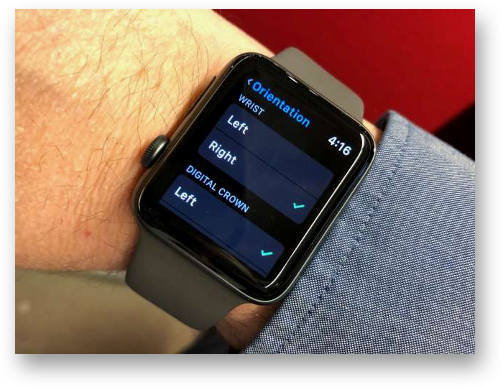
Another such example is the Apple Watch which gives left-handed users an option to choose the wrist they will wear the watch to check if the crown should be facing to the left or right. The screen then orients accordingly and all users have to do is swap the two halves to the band so they can buckle it correctly.
While creating Inclusive designs, designers actively seek out diverse situations and aim to address them. Therefore, we can say that Accessibility and Inclusion work hand in hand to create products and solutions that are usable and accessible by everyone.
“Accessibility is an outcome. Inclusive design is a process to create a masterpiece.” – Derek Featherstone, CXO of Level Access.
How to design digital products for Accessibility
The Web Accessibility Initiative’s definition of Accessibility talks about addressing the issues of user experience for people with special abilities. When creating a new product, companies often identify and design for their target markets. However, human-centered design can help businesses consider a much diverse and larger group of users, and thus a larger target market.
“The longer an organization waits to incorporate accessibility, the greater the chance that the product will be inaccessible (or expensive and time-consuming to retrofit). When the product team considers accessibility from the start, they can iterate, test, learn, and end up with a stronger product.”, stated a recent 2020 Digital Accessibility Report by Level Access.
Role of Design Thinking and User Empathy while designing for accessibility
Empathy is one of the core attributes for creating human-centric digital experiences. In her book, Accessibility For Everyone, Laura Kalbag, writes that in order to improve the user experience, designers must focus on the concept of usability from four broad parameters:
Visual: make it easy to see
Auditory: make it easy to hear
Motor: make it easy to interact with
Cognitive: make it easy to understand
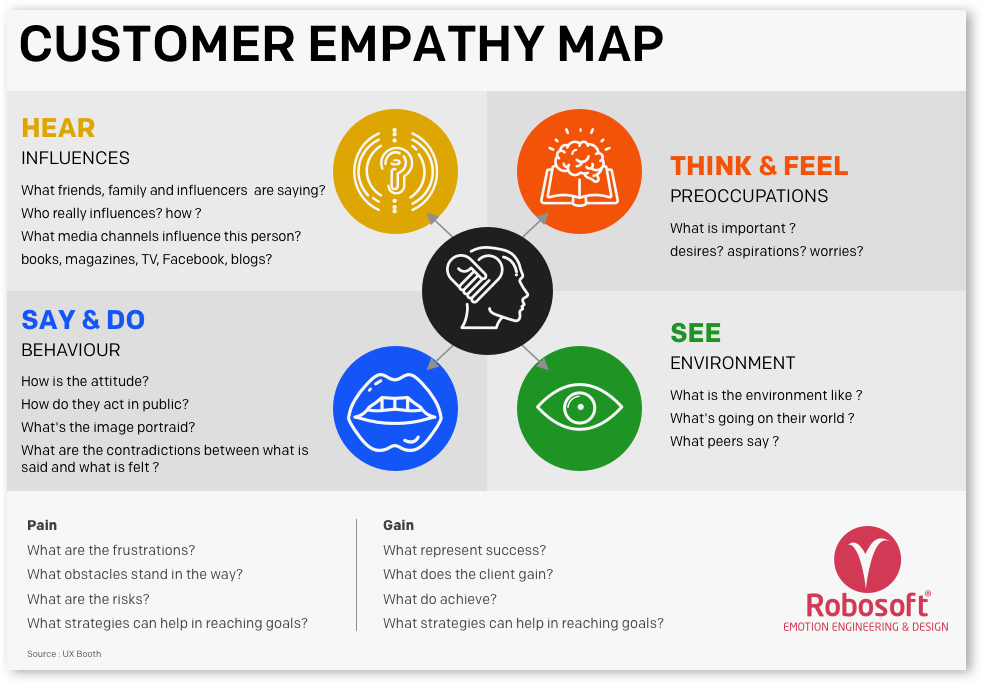
While designing for Accessibility, it is important to know user behavior from all the above perspectives. Creating Empathy Maps, which is a critical step of the Design Thinking process, can be a useful tool to achieve this. For teams involved in the design and engineering of products, services or experiences, an empathy mapping session is a great exercise for groups to “get inside the heads” of users.
Learning about the target group at an empathetic level opens up the opportunity to understand their intent while using a digital product and how they are feeling while trying to accomplish it. This allows product and design teams to get empathetic insights which can help them build a product, service, or experience that enables accessibility as well as inclusiveness.
“The aim of empathic design studies is not to seek solutions for recognized problems, but rather to look for design opportunities as well as develop a holistic understanding of the users. Design empathy is not only information and facts, but also inspiration and food for ideas.” — Tuuli Mattelmäki, Finnish industrial designer, researcher & lecturer.
Designing for Accessibility: best practices
Below are some of the key factors that can be considered while designing for Accessibility. These factors bucketed as per the following attributes:
Usability and heuristics
Design and interaction
Content and Communication
Usability and heuristics
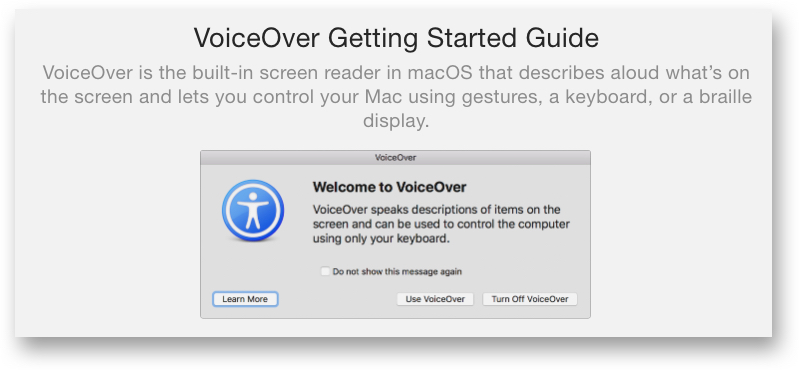
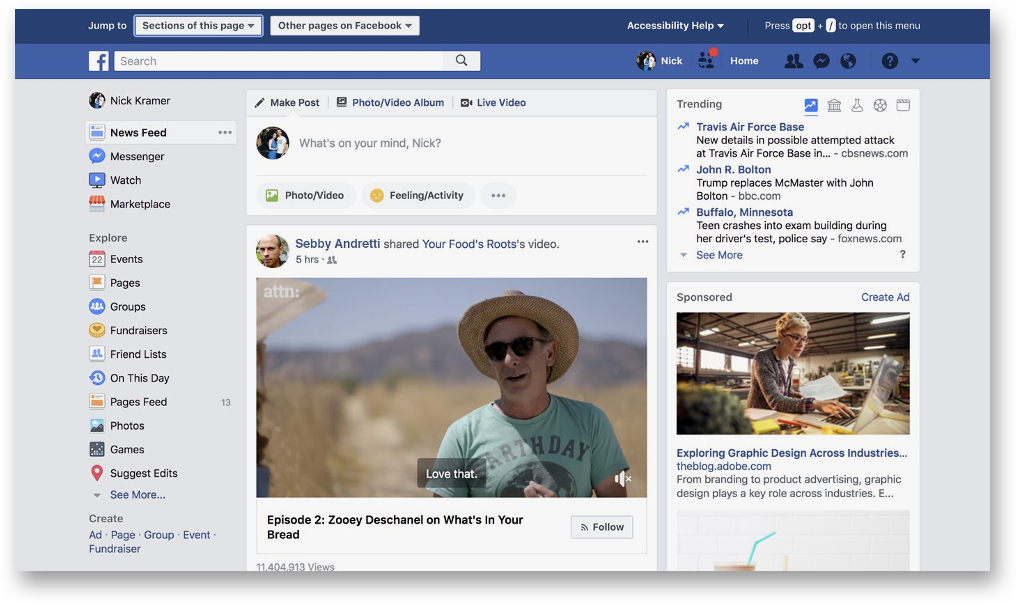
Navigation bar on your website: A simple and straight-forward navigation bar can make it easier for a visitor to navigate through a website. For visually impaired users, it is important to include a voice feature to simplify the navigation process.
The latest Apple devices have VoiceOver – an assistive screen reader that allows impaired or disabled users to easily navigate their devices.
A look at Facebook’s Accessibility menu that slides in from the top of the page
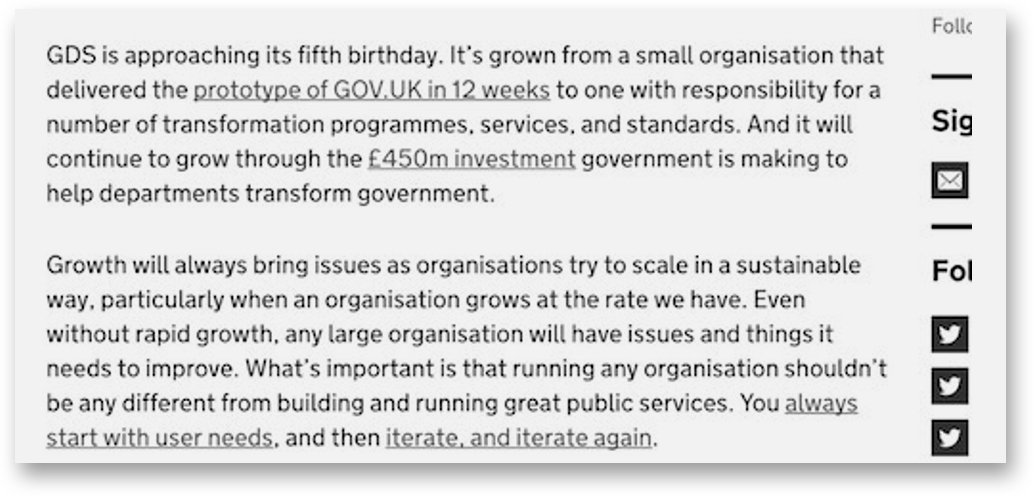
Usability and readability of links: Most browsers render links in blue text with an underline by default. The contrast between link text and regular text is the key factor for spotting the hyperlinked words or sentences. Most people with color blindness cannot distinguish between colors but can see the underlined text. For improving Accessibility, adding an underline for the hyperlinked text is critical, like done on the GDS website within the body of the articles.
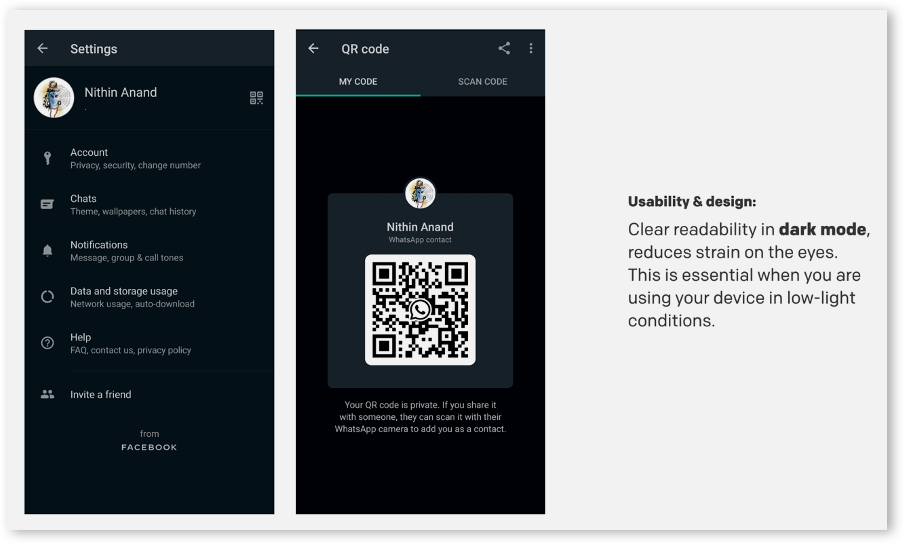
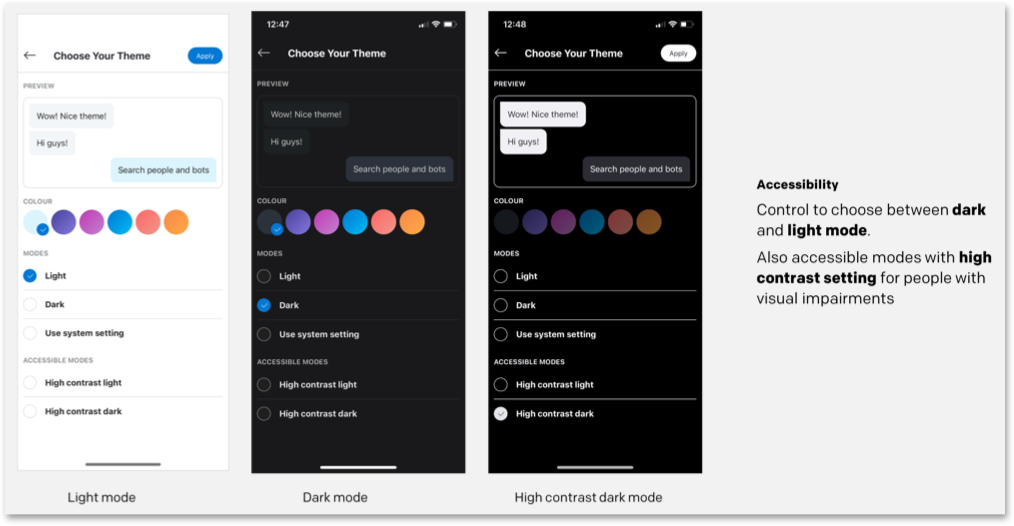
Similarly, adding a dark mode feature can also help in improving readability.
Design and interaction
The WCAG documents explain how to make web content more accessible to people with disabilities. Some of these guidelines include considerations like:
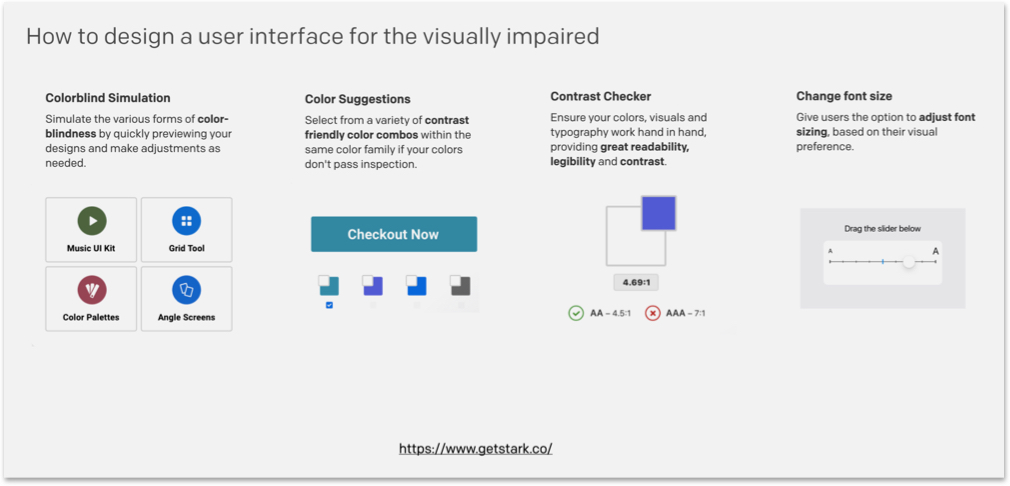
Provide sufficient contrast between foreground and background
Avoid using colors alone to convey information
Ensure that interactive elements are easy to identify, and more
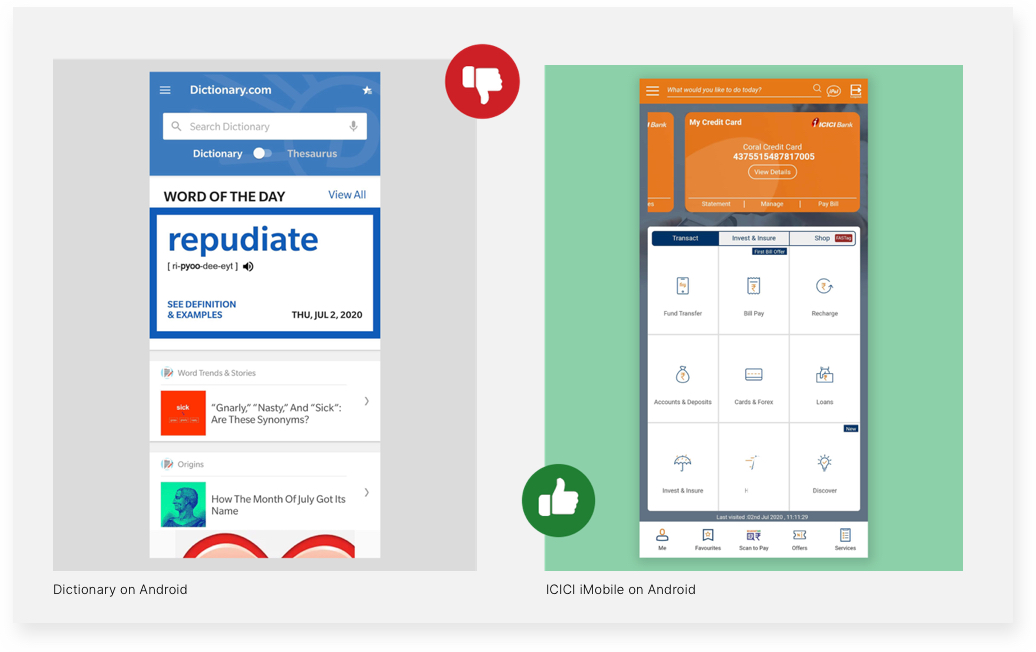
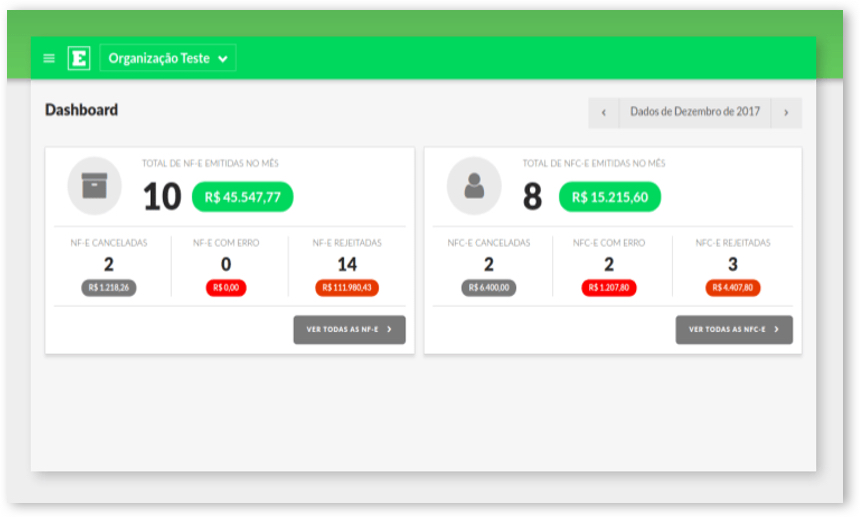
Color contrast between foreground and background: This dashboard of the Invision app, which shows the status of invoices, indicates which ones have been successfully issued, and also displays any cancellations or errors, using color contrasts. The dashboard also features readable typography with large font sizes and high-contrast colors. The icons help to distinguish content for users with cognitive issues.
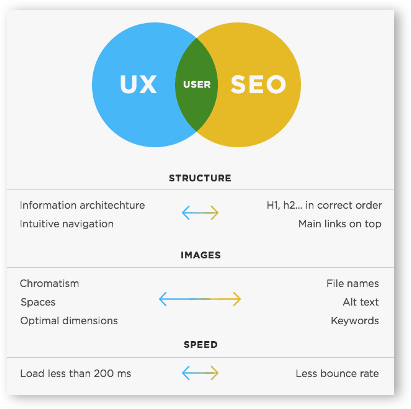
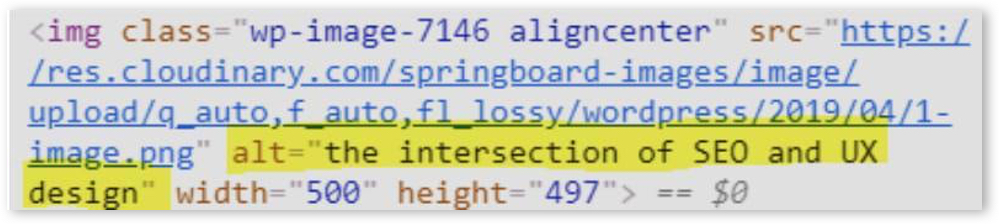
Ensure that all images are marked with alternative text: Adding ALT text to your HTML code allows visually impaired people using screen readers to understand what the images represent.
Here is the ALT text displayed in the code editor:
Carousels and animation elements: When using carousels and animation across your web platform, it is imperative to let users take control over the next slide advances. For instance, the below slider template highlights highly visual content, features dot navigation, and is touch-friendly on mobile devices.
Choice of colors in design: Colors play an important role in impacting the design accessibility of a digital product. The popular game Among Us relies on color encoding as a primary identifier for players. The game revolves around identifying an ‘imposter’ in the group. Colors remain the primary identifier for players for this purpose, as players commonly use names such as ‘I’, ‘No one’, ‘Someone’ or simply colors to name themselves, like a player with a green avatar sets their name as ‘Red’. However, the process as shown in this video becomes extremely chaotic when players just use their pronouns as their avatar names. In such a scenario, any form of color blindness can impact players’ performance during the game. This case study showcases how the game could be recreated using various color schemes to include people with color blindness. The solution could be as simple as using additional identifiers for players, like ColorADD color identification system which uses symbols to represent different colors or displaying the name of the color right next to the avatar name.
Displaying the name of the avatar’s color in brackets similar to how the name of the player is displayed
For designers, there are multiple resources that one can make use of for creating a color scheme that is more accessible. Some such tools include Adobe Illustrator’s Color-Blind Proof Setup and sites like ColorBrewer that can help them select a colorblind-friendly color scheme.
Content & Communication
Font size: With mobile devices, readers often use the pinch gesture to zoom into text, making it bigger and easier to read on smaller screens. However, developers often disable zoom to gain greater control over the page layout resulting in an irritatingly common accessibility problem. As a best practice, the recommended font size should be equivalent to 16 pixels or larger, depending on the font type. Certain apps also allow users to change the font size basis their preference. One such example is the Kindle app across devices that allows to customize font size basis reader’s preference.
Font customization on the Kindle App
Telegram allows to change text size for better readability
Font customization on Axis EasyConnect App
Using forms and other data capturing methods: Forms are enabled on a website for a user to communicate with a site. But even filling out the shortest form can be taxing for people at times. A common error that people tend to make while filling forms can be in the date formats.
Formatting the content of an input field should not be a burden for the user. To make such tasks easy for the user, designers and developers should ensure that the user’s input is converted into the necessary format by default.
In conclusion:
Designing user experiences often involves making assumptions about users’ preferences. While we should question those assumptions and use research to better inform ourselves about user preferences, sometimes just providing, an alternative way, can make a huge difference.
In this ongoing process, the importance of usability, accessibility, and inclusion cannot be understated – especially now, when there is so much reliance on the digital medium to complete daily activities. The process of designing for accessibility should be included in the initial stages itself and shouldn’t be an afterthought. Shifting accessibility testing in the development stage to gather real-time feedback from people and carrying out design research will help to achieve this goal.
Accessibility and Inclusivity are two pillars of creating human-centered design for a wide range of users. Microsoft’s Inclusive Design Principles define Inclusive Design as – a methodology, born out of digital environments, that enables and draws on the full range of human diversity. Most importantly, this means including and learning from people with a range of perspectives.
Diversity is Being invited to the party; Inclusion is being asked to dance — Vernã Myers
In an upcoming post, we will cover Inclusive design in-depth and with some interesting examples.
While creating digital experiences from an Inclusive design perspective the saying ‘the more the merrier’ fits just right. The larger and diverse the group of users considered while designing, the better it is for both – users and enterprises.
The script of the media and entertainment sector is getting re-written, as the content consumption patterns of consumers see a tectonic shift in a post COVID world. While the gradual move of consumers towards OTT mediums was already underway, the lockdowns, need for social distancing, dearth of other entertainment avenues accelerated this momentum.
The average time spent on subscription OTT and Video-on-Demand content in the US alone has risen by 23% from last year.
As viewership skews towards OTT, more and more media and entertainment players are launching their OTT platforms. According to a recent Research Dive report, many digital media and broadcast providers have stepped up their efforts to build new channels for consumers to access different types of content. We recently partnered with the leading infotainment brand Discovery, to launch their OTT platform Discovery+ for the Indian market. The app received close to 3 million downloads within just 4 months of its launch.
With existing OTT players stepping-up their game with richer content, personalized experience, and more, the new entrants have stiff competition ahead. In this article, we will outline the factors that will help enterprises build a successful OTT platform.
Key factors to consider while creating a successful OTT platform
The journey of any digital product development starts from understanding the users’ needs and pain points, ideating on a solution that will address these needs, and finally developing a user and business-centric product.
In this article, we will outline the journey of creating an OTT platform in two phases: (a) Research & prototyping and (b) Execution & implementation.
Getting started – Competitor Research, User Research & Prototyping
At Robosoft, we use the principles of Design Thinking to create user-centric experiences – which start from empathizing with and understanding the users. In that context, user research and competition research become critical aspects to understand the business and customer requirements.
1. Competitor research
With the deluge of OTT platforms, it becomes important to understand the competitive landscape. This will not only help in outlining features that already exist and work but will also help in avoiding the shortfalls of other platforms. Knowing the competition is also critical to offer something better and unique and gain a competitive advantage.
For instance: in OTT platforms – ‘Add to Watchlist’ or ‘Like’ is a common feature. However, just trying to replicate the same model is insufficient. In order to create the differentiator, we need to delve deeper into the world of ‘favoriting’ and what makes the user want to add a particular content to a list
In this instance, some of the key aspects we need to understand about what is already being offered can be:
The value of a watchlist and how it works
UX flows – how to keep the viewer moving forward while making it quick and easy
How to help viewers feel smart and put their mind at ease
How to improve the disadvantages & limitations.
An understanding of such factors will help in creating a differentiation in UX, even while offering the same features.
We kept such in mind when we built the Discovery+ app, ‘Continue Watching, Favorites & Watch Later’ features were added. Once the user likes or favorites something, they get a notification for similar content or new episodes and populates the home screen basis the user’s likes/favorites.
2. User research & prototyping
To design user-centric experiences, understanding users is critical. One of the most important stages of user research is creating Empathy Maps that enables design and development teams to chart out users’ motivation and pain points. In the context of OTT platforms, user research can help to derive the below expectations of users:
Expectations from an OTT platform: as a user
see value in what is offered before making a decision.
keep moving forward while watching content; it can be shifting from one episode to another or an alternate movie or series after a season.
seamlessly navigate through the platform or complete their journeys (e.g. from logging in to paying).
feel self-reliant or empowered and have their minds at ease while using the platform.
Prototyping
Once both competitive and user research is done, the findings can help in creating a high, medium, or low fidelity prototype of the proposed solution. Prototyping is the stage where a representative model is built to validate its viability and experience. It can help in testing various features and get quick feedback from users and iterating the solution accordingly. Keeping the final outcome in mind is the most important aspect of this stage.
For example: while testing a new live racing experience for GCN’s (Global Cycling Network) VoD app, our team had the below goals in mind and created flows to evaluate them accordingly:
Goals for user research
Identify any aspects that might cause the user to abandon the viewing experience.
Understand which aspects provide value and which do not.
Gauge how the sports enthusiasts feel about such a feature.
Explore how easy it is to navigate across the journey.
Understand the sports enthusiasts mindset and expectations to subscribe for such a feature.
The feedback ranged from excitement for the feature to quick suggestions on how we can improve the prototype. This helped us to build faster and build something that the cyclists and cycling enthusiasts will expect from the platform.
Execution and implementation
1. UX of content
With the proliferation of content on the OTT platforms, the challenge for OTT players is to ensure an easy experience. The faster and easily users can get to the content they like, the more likely they are to stay on. Some of the factors that help in this are:
A clear segregation of the content types: since content is key on OTT platforms, the experience to discover and view the content has to be delightful and seamless. Clear segregation of content types helps in this aspect.
Different treatment of content categories: live content and VoD content (VOD – Shows, Movies, or clips).
Easing the content discovery journey by defining clear navigation to browse content and finding what to watch and creating clear sections for premium, short-form content.
Clear categorization by language, type of content (Movies, TV Shows, genres, audience segments).
2. Design System
As designs evolve, OTT players will need to think about building thoughtful design systems. A well-defined design system can help create well-designed user-centric digital products. While colors and typography play an important role, how the interfaces are built help to tell the whole story. This is where the Atomic Design system comes into play.
In an Atomic Design, interfaces are made up of smaller components. This means the entire interface can be broken down into fundamental building blocks and built up from there.
For example: for Discovery+, we created the design from scratch using the Atomic Design system to build a unified and consistent design that is scalable.
3. Personalized User Experience
In the digital era, users expect a personalized experience from all their digital interactions. Here are a few ways in which OTT players get their personalization game right:
AI-powered recommendation engine
Building a robust recommendation engine is the key aspect of creating a personalized user experience. More than 80 percent of the TV shows people watch on Netflix are discovered through the platform’s recommendation system. Netflix uses machine learning and algorithms to help go beyond viewers’ preconceived notions and find shows that might not have been their first choice, but they will like. The data that Netflix feeds into its algorithms can be broken down into two types – implicit and explicit.
Examples of ‘explicit data’ will be giving a thumbs up for a show. ‘Implicit data’ is behavioral data; for instance, if a viewer binged on a show and completed watching it in two nights, the engine understands that behaviourally. The majority of useful data is implicit.
Today’s subscribers want services that are personalized at every stage of the experience from sign-up to discovery, viewing, and renewals. Thus, personalization should permeate beyond content and include the entire user journey on the app. Today a user is constantly toggling between multiple devices while accessing the platform. Developers will need to take into account data from these sources to notify the user about the upsell and the renewal offers. That also includes giving the user the power to make choices.
Device management is another aspect of creating a personalized experience. Allowing users to choose multiple devices, streaming quality options, renewal options tailored to their choices, etc. can help in elevating user experience and ensure retention.
4. Elevating user experience through easy navigation
Even if an OTT platform has an awesome content library, if users find it difficult to navigate through it they will abandon the app. According to a research, 80% percent of users uninstall an app due to a bad user experience. Here are a few factors that lead to a great user experience:
Easy onboarding and simplifying the journey
It is critical to make the onboarding process quick and easy. In that context, app owners should only ask for essential personal details and permissions and stick to the key features and UI elements that are absolutely necessary.
Another way to speed up the process and make the onboarding process quick and interesting is to allow users to experience the app before asking them to sign up or taking them on a product tour. Hotstar previews popular content and lists membership benefits on the very first screen — and they feature a prominent free trial button. Going one step ahead – Netflix now lets users turn off autoplay previews. That means videos and movies won’t begin to play trailers or video clips as they are looking for something to watch. Users can turn it off on every device at once.
Intuitive UI simplifies every aspect of the process. In the case of OTT platforms, it is important to not just simplify the process of discovering content but also watching. Some key features to get that right are:
Giving the flexibility to switch on-and-off the subtitles option.
Information about the quality of video and data consumption.
Option to resume from where the user left off.
Quick and easy buttons for start, stop, rewind, fast forward.
Today viewers are consuming content on multiple devices. Seamless delivery of content on multiple devices is no longer an option for OTT players, it is mandatory.
While building the Discovery+ platform, the goal was to design and deliver a consistent experience across devices, regardless of where the user starts, continues, and ends the journey.
Casting to a larger screen is another opportunity that can enhance user experience and help in driving the value for viewers. The Discovery+ app has the casting feature which is an easy way of connecting web, tablet, and mobile to a TV. The feature allows users to enjoy a big-screen experience with family and friends.
Another important aspect of adding value to users’ on-the-go viewing experience is by giving control of watching content at their convenience without the limitation of internet speed. In that case, the option for downloading the video for watching later enables the user to engage with the app and the content they like whenever they want.
A subscription model provides predictable and recurring revenue for a long-term engaged user base. Subscription strategies allow OTT platforms for price diversification, accommodating a broader, diversified income group of users over a fixed ‘one-price-for-all’ model. However, it is critical to choose a subscription model that fits the requirements of the viewers. For instance, most broadcast players getting into OTT have a yearly and monthly plan with free trials or free access to regular content. On the other hand, established players like Netflix will have subscription models that are only yearly or monthly.
On Discovery+ the subscription model that was built-in was ‘free unlimited access to regular content’. However, to view premium content, an additional fee is charged. On Global Cycling Network, users can buy a monthly or yearly race pass to get unlimited access to the best cycling content.
8. Easy Payment gateway integration
With a plethora of payment options available, making this step easy is important. Major OTT apps accept payments through credit or debit cards, digital wallets, and real-time payment systems where available. Further, these platforms bill users every month on the same day making the payment cycle easy.
9. Push notifications
Push notifications are an essential part of the user experience and can ensure continuous engagement with viewers. However, badly done push notifications can also lead to users abandoning the app. According to a survey, 71% of all app uninstalls are triggered by a push notification. Here are a few factors to get push notifications right:
Make personalized and relevant to the user.
Sending notifications in the engagement windows and at the local time zone of the user.
Send actionable notifications to drive engagement.
Don’t send too many notifications in a short duration.
As OTT becomes increasingly popular, more and more entertainment and media firms will develop their own OTT platforms to engage with the viewers. While the variety and quality of the content will be important to acquire new viewers, UI/UX will play a decisive role in retaining them. In the future with newer technologies, we will see interesting innovations in the OTT sector, but a simple and delightful user experience will remain the most important factor that will define the success of any OTT platform.
Creating a product vision is not just the first step towards embarking on the journey of successful product development, it is the most critical one.
“Be stubborn on vision, but flexible on details” – Jeff Bezos
Enterprises across the globe have various tools and methodologies for arriving at the product vision. PR FAQs (Press Release FAQs) is one such tool. A PR FAQs document is a press release including critical FAQs, that is written for a product that will be released in the future. It is usually written by the product teams for a hypothetical launch of a product, considering that it is already released.
The concept of PR FAQs first introduced by Amazon is now used by product teams across organizations.
What is a PR FAQs and how it helps in creating customer-centric products
At Robosoft, we use Design Thinking principles to understand users’ pain points and needs and then create a product vision that not just solves the real challenges of customers but is in line with our clients’ business goals as well. PR FAQs is a tool that can help product teams present these learnings in a simple format for all the stakeholders across the organization.
Creating PR FAQs is an approach where the product teams work backwards – i.e. they visualize how their end product will look, what consumer challenges it will solve, and how it will solve it? All these are then addressed in the PR FAQs document while keeping customer needs at the center.
The concept of Amazon Go, the chain of automated convenience stores, was a direct result of the “working backwards” approach, which begins with the creation of a PR FAQs document (a press release, frequently-asked questions document, and visual mock-ups). In this case, it all began with identifying the problem: customers hate standing in lines, using the PR FAQs tool.
Typically, product managers use a product brief to describe their product. This serves as a starting point for the company’s product development and a brief introduction. A PR FAQs document serves as a more futuristic and customer-oriented product brief.
Product teams create a PR FAQs document imagining that the product is already developed and released. They have already envisioned the final product in their minds while writing a PR FAQs document.
Usually, a PR FAQs document will answer the following questions for all stakeholders – design, development, sales & marketing teams, etc.
What does the product do?
What are the most exciting features?
What customer problems are you solving?
What benefits will the users get?
The format for a typical product brief is as follows:
A press release: Written from the point of when the product will be released and how it would be introduced to the public.
FAQ: Potential questions that a given customer would likely ask in order to gain knowledge of the product. The questions are usually framed to seem open-ended.
Internal questions: Questions that are asked by the stakeholders during the product development phase.
Now let us take a look at a PR FAQs template:
Heading: Short, catchy name for the product that a given target audience can relate to.
Subheading: One-liner explaining who the target market is, what the product does, and what it hopes to achieve.
Summary: A brief paragraph, explaining what the product is and its benefits.
Problem Statement: A brief paragraph explaining what precise problem the company is trying to solve with this product and why they are trying to solve this problem. This paragraph may also include pain points on existing products or processes that can be alleviated using the product.
Solution: A brief explanation of how the company hopes to resolve the problem mentioned in the prior paragraph. Usually, it would be helpful to provide research or numbers to back the assumptions made for the resolution.
User Experience: A paragraph explaining how a user would interact with the product itself. In this section one could add an internal quote; something regarding the product for example, why the company feels it’s essential for the given customer base to purchase this product. One could also add hypothetical customer quotes. This kind of information gives more insight into the product or the features.
FAQs: This section would include all plausible questions target customers may want to ask. This includes the typical what, why, when, how, and who questions from the customer’s perspective. This could also serve as a justification for the company to launch the given product.
Internal Section: This part of the document involves questions that the internal teams would ask. These questions could be regarding technical, sales, marketing, or design inquiries. The section would also delve into the solutions for any said questions and would make it transparent for teams to see where this product/feature is heading and what the ask is especially from the stakeholders. It could act as an aid to stakeholders for decision-making purposes. Typically, visuals could be added to avoid having to write out large chunks of words and would help keep it brief.
Some samples of how a hypothetical press release looks like can be found here and here.
Why it is important for product teams to create a PR FAQs document before starting the product design and development journey
A PR FAQs is a commitment to deliver
The PR FAQs is much more than a product brief tool. The press release opens with a location and date of publication; this helps the product team to focus on an idea and commit to meeting their tentative delivery date. Along the way, details and dates might change, but it keeps teams accountable to ultimately deliver on their vision. A PR FAQs is more than a document – it’s a commitment to deliver
Gives perspective to all the product stakeholders
A PR FAQs is written keeping customers at the center and is aimed to give all the stakeholders a brief about the product idea. But, if the PR FAQs document is not clear or exciting enough, the product idea might need to be refined further. A PR FAQs document can help identify shortfalls in the product idea at a very initial stage and can help identify issues like – cramming too many features, or not being able to address the real user pain-points and more. If stakeholders are asking questions that can’t be answered in the FAQs, then the product idea needs to be refined further before starting to build it.
As McAllister, former General Manager at Amazon explains, “Iterating on a press release is a lot less expensive than iterating on the product itself (and quicker!).”
Furthermore, the FAQ component of the document can be extremely effective in capturing the assumptions and perspectives of different stakeholders in a consistent format that everyone involved can understand.
Helps in defining product vision and roadmap
A PR FAQs document can give focus and clarity on the challenges the product will solve for customers. It helps articulate what the client experience needs to be, defines specific requirements that are needed for the final product, highlights the most important features, and hence helps create a product vision and a roadmap.
Motivates the design and development teams to create an exciting product
A PR FAQs document can help product teams test their product idea and gain buy-ins from clients and internal teams on particular features or the product overall. A press release should be engaging and exciting and explaining what your product does. If the press release is not exciting, chances are the product isn’t going to be engaging either.
Getting the stakeholders excited about a “press release” sets the stage for motivated teams when the actual product is built.
How a PR FAQs document can help various stakeholders in the product development journey
A PR FAQ document is useful not just for the product teams but multiple stakeholders in the product design and development journey. Here’s how:
Engineering teams: PR FAQs document can be used to start scoping out the technical aspects of the product. The development team can start by looking at what the product is, how it will help solve any issues, and how much time it will take.
While a product document might be independent of the technical solution, it can help to include some details that will give reviewers an idea of the scale of potential solutions.
The PR FAQs document can be beneficial for the engineering team to immediately start thinking about solutions to the product: what are the code libraries, databases, caching solutions, etc.?
Design teams: the PR FAQs document can help design teams to start thinking about design concepts. It is not necessary to create a text-focused PR FAQs document. Adding a basic wireframe or an MVP concept can help the design teams to further visualize the design elements.
Sales teams: the PR FAQs document can help sales teams to start looking into the marketing of the product, what the market would be, who would buy it, and how profitable it would be for the company.
Marketing teams: the PR FAQs document can help marketing teams craft a key message or benefit that would be attractive to the end customer.
Other Stakeholders: the PR FAQs document can be used to see what resources need to be assigned to this product and how much time it would take to accomplish its implementation.
In Conclusion:
In situations where the product brief or PR FAQs document is cumbersome and difficult, it can be an indication that the product itself might not be worth the effort for implementation. Although, this might not hold true for all products and vary according to the product idea. Each company must find its own way of approaching the implementation of the product and see what works for them.
The most appropriate way to approach the process would be to begin with the basic given format described above and customize the product along the way. This allows for flexibility in the flow of the writing as well as allows room for things such as visuals and graphs that can be beneficial to decision-makers and stakeholders.
Download the above template for creating a PR FAQs document for the next product idea of your enterprise.
Good design’s not about what medium you’re working in. It’s about thinking hard about what you want to do and what you have to work with before you start. – Susan Kare
Prototype is the stage where you build a representative model of your solution to validate its viability and experience. It can also help identify what is working and what the weak links are. In this article, we will outline some basics of prototyping, how to create and use them.
What is Prototyping?
Prototyping manages the process of creating solutions for the end-user without even having to look at the final product. With Low, Medium & High fidelity prototypes, one can easily picture an entire flow of how the user journey will look like. All this helps in conveying the look and feel of the final product.
How does it help?
Prototyping is one of the most important steps in the design process. It saves time, effort and cost on a project to validate a hypothesis and ascertain that the product design is in the right direction.
Before a final output is ready and the project is conceptualized. Prototyping helps designers bridge the gap between a conceptual and an actual product.
For designers
For designers, the mode of prototyping they choose varies from project to project. For instance, if there is a quick approval needed even a hand sketch (Low fidelity prototype) will do the job. But if the journeys and flows are extensive a high-level prototype is a must. It helps clear doubts with respect to user journeys, flows and IA (Information Architecture). A designer must have total control over the tools they use, for an excellent output.
For developers
A detailed prototype can help developers visualize a flow from start to end and quickly understand the roadblocks or the enablers that can help smoothen the app or web development. Developers can also recognize the challenges well in advance with a detailed prototype. Additionally, there are many other aspects, such as API availability, asset requirements, and basic structure of the page that a detailed prototype can help developers to be prepared with.
When to use Prototypes?
The prototyping phase is the testing ground – this is where the transition happens from being dogmatic to being experimental.
In its basic form, a prototype is an expression of design intent. Prototyping allows designers to present their designs and see them in action. In the context of digital products, a prototype is a simulation of the final interaction between the user and the interface. Depending on what a product team needs a prototype to do, it can simulate an entire app or just a single interaction.
The fidelity of a prototype refers to how it conveys the look-and-feel of the final product (i.e. visuals, content and interactivity)
An important aspect that should be mentioned here is that anybody can prototype. It is not something that needs to be restricted to a designer only.
Paper mockup
For creating a prototype, we can start with something as basic as a paper mockup. It is inexpensive, fast, and collaborative. A paper prototype can be first ideated on a whiteboard with all stakeholders and then sketched out on paper – it’s that simple.
This method does have its drawbacks though, like limited interactivity and uncertainty during testing, but it suffices for a preliminary test.
Monotone mockup
You then have the monotone mockup which can be static or interactive. An interactive mockup can also include the key transitions.
A designer can be the best judge for deciding the type of prototype that can be created basis what will appeal to the users and project stakeholders. Of course, time is of essence here.
High-fidelity prototypes
The high-fidelity prototypes on the other hand embody the brand, have a corresponding look and feel, clear call to actions, and continuity. These obviously have their own perks, of easy buy-in from and the decision makers, testability of specific functionalities, and richer feedback from users. However, they come with a high-cost implication and time factor.
Process from Wireframes to Clickable Prototypes
Wireframes are created in the early stage of the process and made before the visual design phase. Here the designers pay more attention to usability and functionality rather than aesthetics.
Clickable Prototypes – Low & High Fidelity
A clickable low fidelity prototype is simple to create and has no interactions to showcase the user journey. High fidelity prototypes are easier to understand, with animations, micro-interactions, gestures, fully loaded content, almost equivalent to a final product.
There are several tools that will help build these high fidelity prototypes with features that help you animate your project the way you want. A few software products used by designers are detailed further.
Top 5 Prototyping Tools
Sketch
Sketch is one of the most popular and efficient prototyping tool for designing Web Interfaces and Mobile Apps. Create minimal and clutter-free designs.
Platform: Mac OS X
Adobe XD
Adobe XD is a perfect tool for UD designers. Easy switching between design and prototype. Also has Voice-enabled feature to create prototypes with voice.
Platforms: Android, iOS, Mac OS X and Windows
Invision
Invision can be used via sketch or other design tools using plugin CRAFT. Designers can quickly create mood boards, Design Systems, and Style Guides. Adapts design from WEB Responsive to Mobile.
Platforms: Mac OS X, Windows and Web Browser
Marvel
Marvel is both Web-based and Mobile app prototyping tool. Through the app, you can convert hand sketches into prototypes. It supports PSD, Sketch files to further work on within Marvel.
Platforms: Mac OS X, Windows and Web Browser
Figma
Figma is the first interface tool to have a collaboration feature. It is an entirely Web browser based tool. Create and present the design in the same tool.
Platforms: Mac OS X and web Browser
Conclusion
Gone are those days when wireframes were created on paper, today prototyping is a must before embarking on the journey of design and development of digital products. Lovely animations and interactions add to the wow factor and help bring a faster buy-in from stakeholders on the concept.
Designers can pick the tool that suits them, as there is no perfect prototyping tool that can be called the “best” from the list. Every tool has its own pros and cons and every day there are new updates to existing and new tools that are launched and marketed differently.
The choice of a prototyping tool depends entirely upon the nature of the project. It is finally about picking the right tool for the right requirement based on the project.
How healthcare companies can benefit
from the digital age.
Digital healthcare services can support a future where effective medical facility is available to everyone at reasonable cost. Find out how we can help you stay ahead with quality healthcare services....
With Facebook, Samsung, and Google getting serious about virtual reality, 2017 is expected to be a turning point for the VR industry.Content creators, hardware manufacturers and service or solution providers...
The experts guide to developing engaging
entertainment apps.
Communitainment apps are a growing rage with the millennials. Developing at least half a dozen of these video-on-demand apps like Voot, Colors TV, dittoTV and more for well-known media...
Essential guide for non-profits on mobile
app development.
Mobile apps can be a powerful marketing tool for non profits that focus on social good. A native mobile app can help drive awareness for the cause, encourage donation...
The secret to building great mobile apps: 3T's.
Download free e-book.
Among millions of mobile apps, only a few have been able to enjoy an incessant amount of engagement over the years. Building and sustaining a mobile app that constantly keeps users engaged...

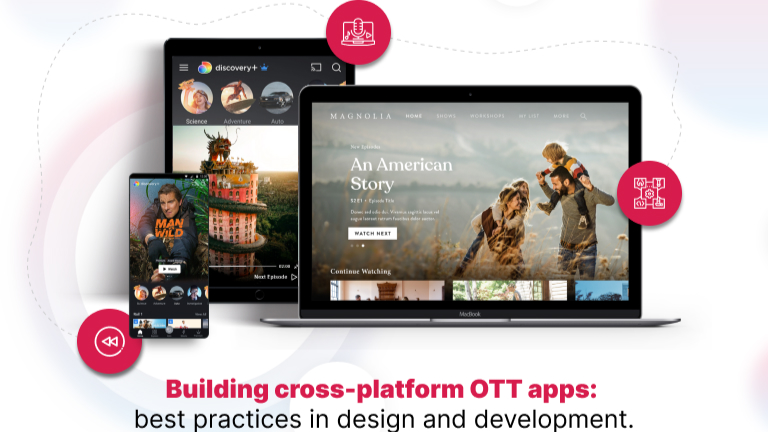
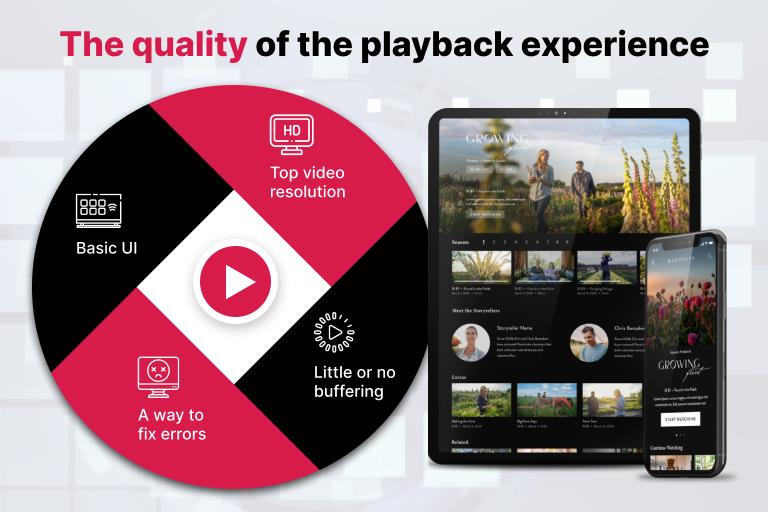
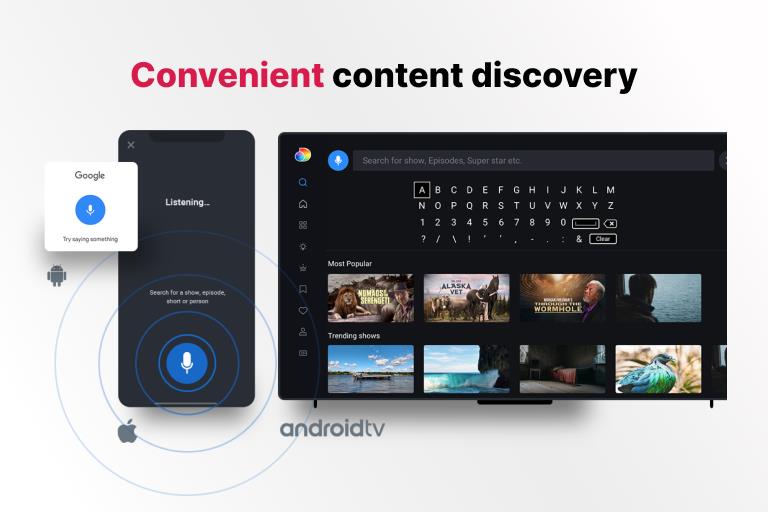
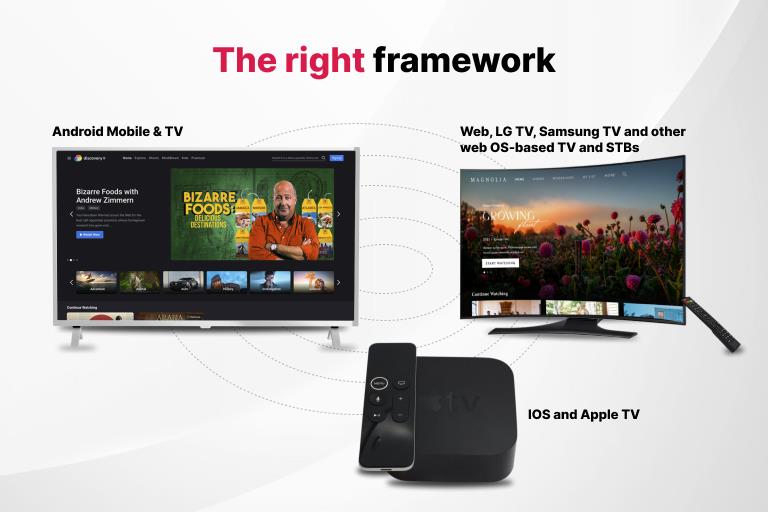
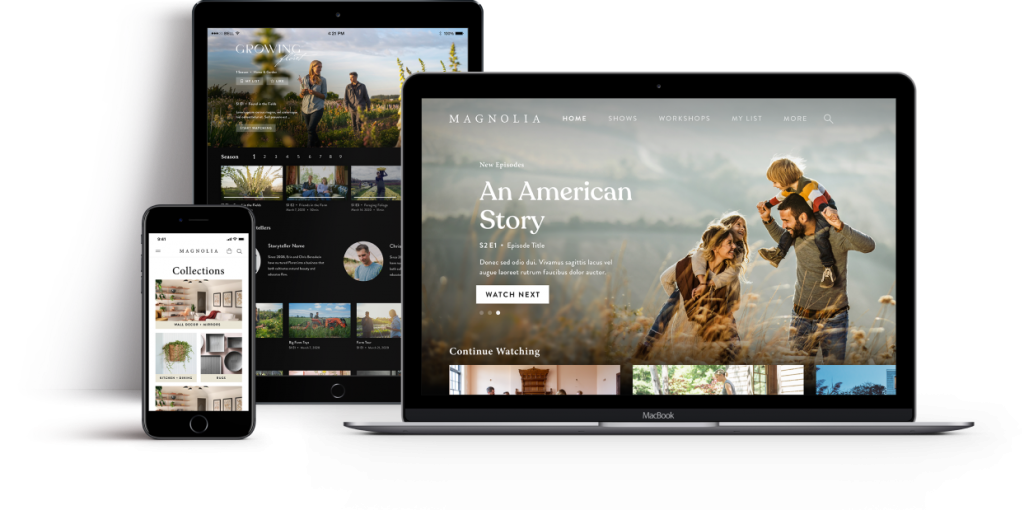

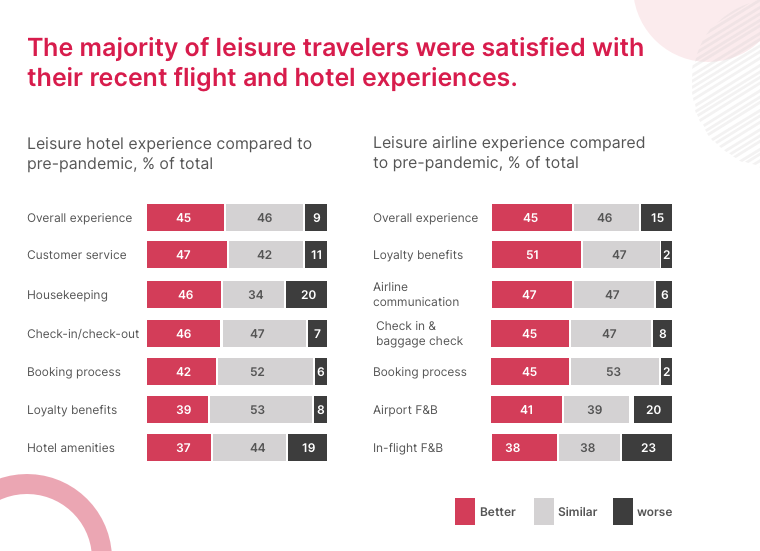

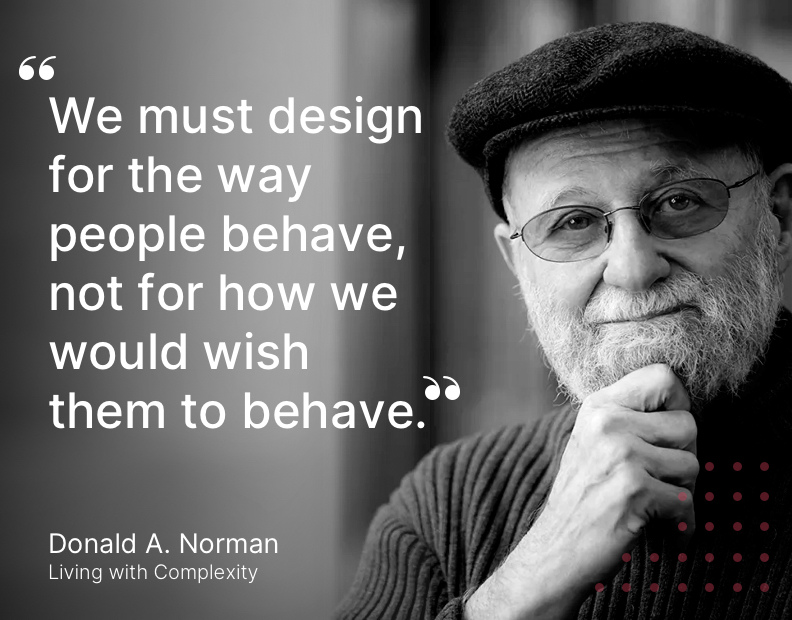
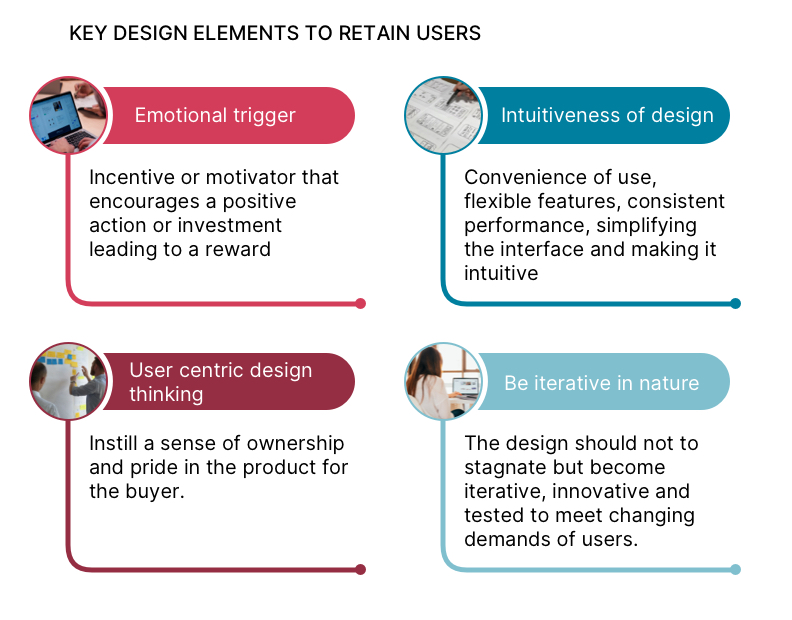


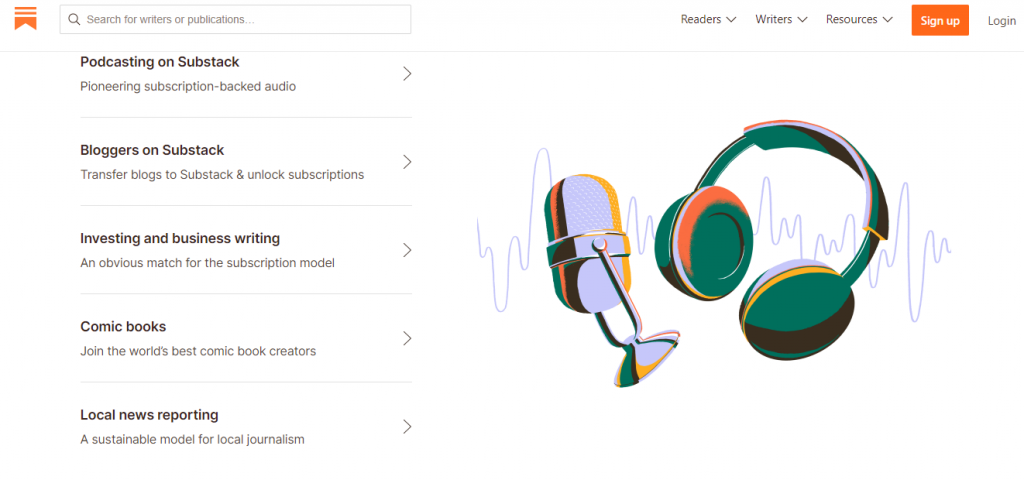
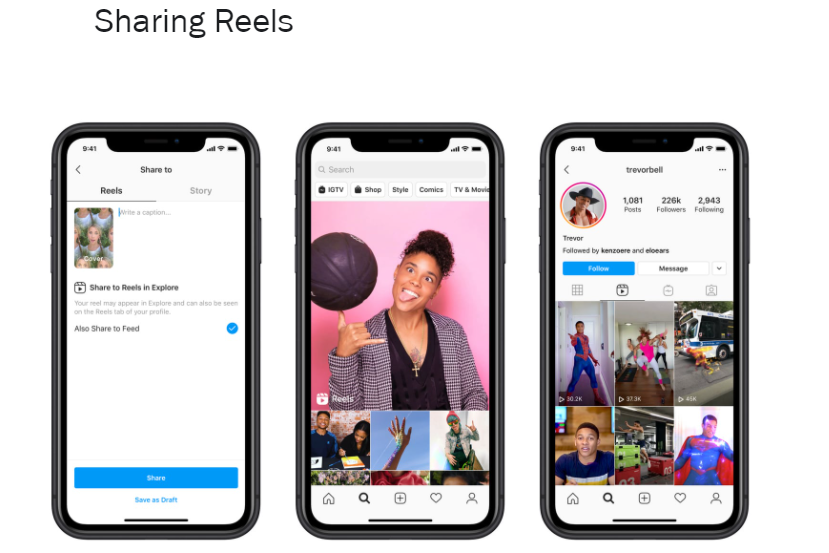
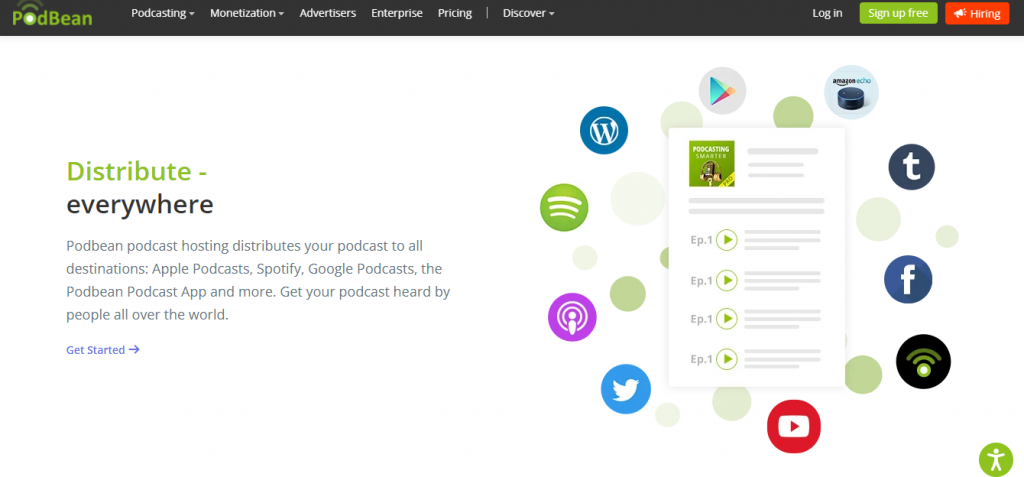
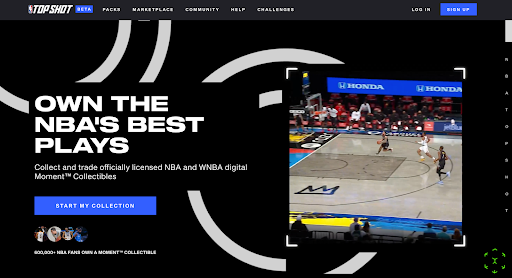

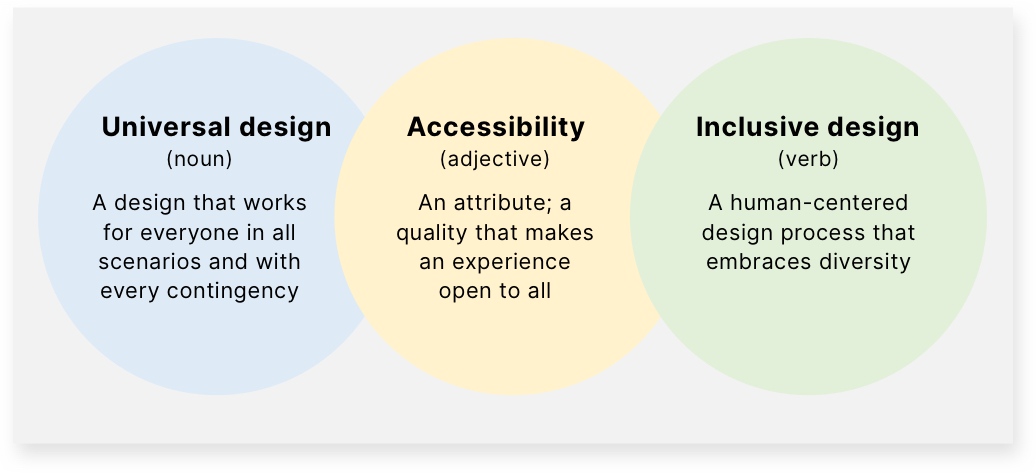
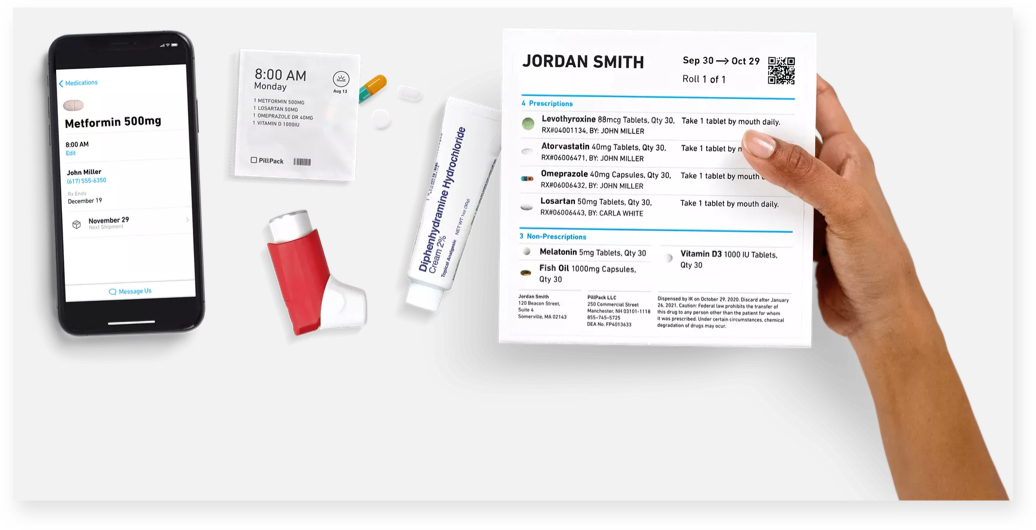
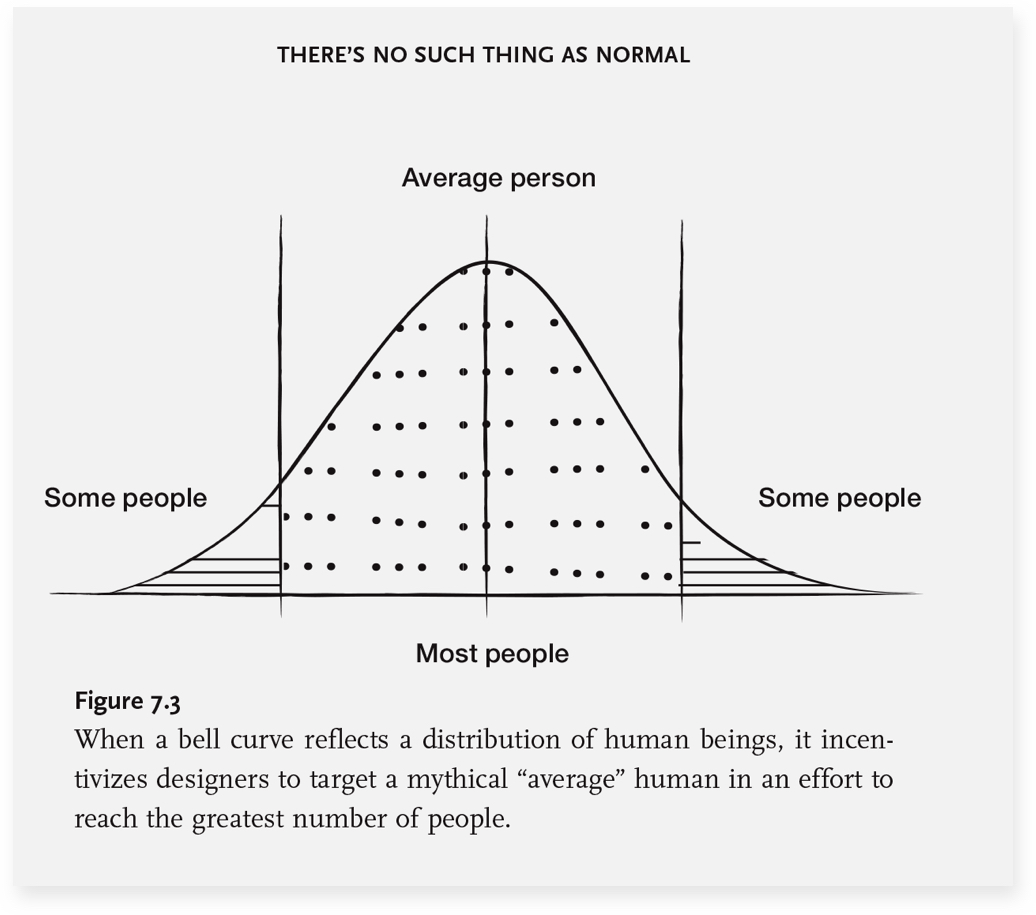
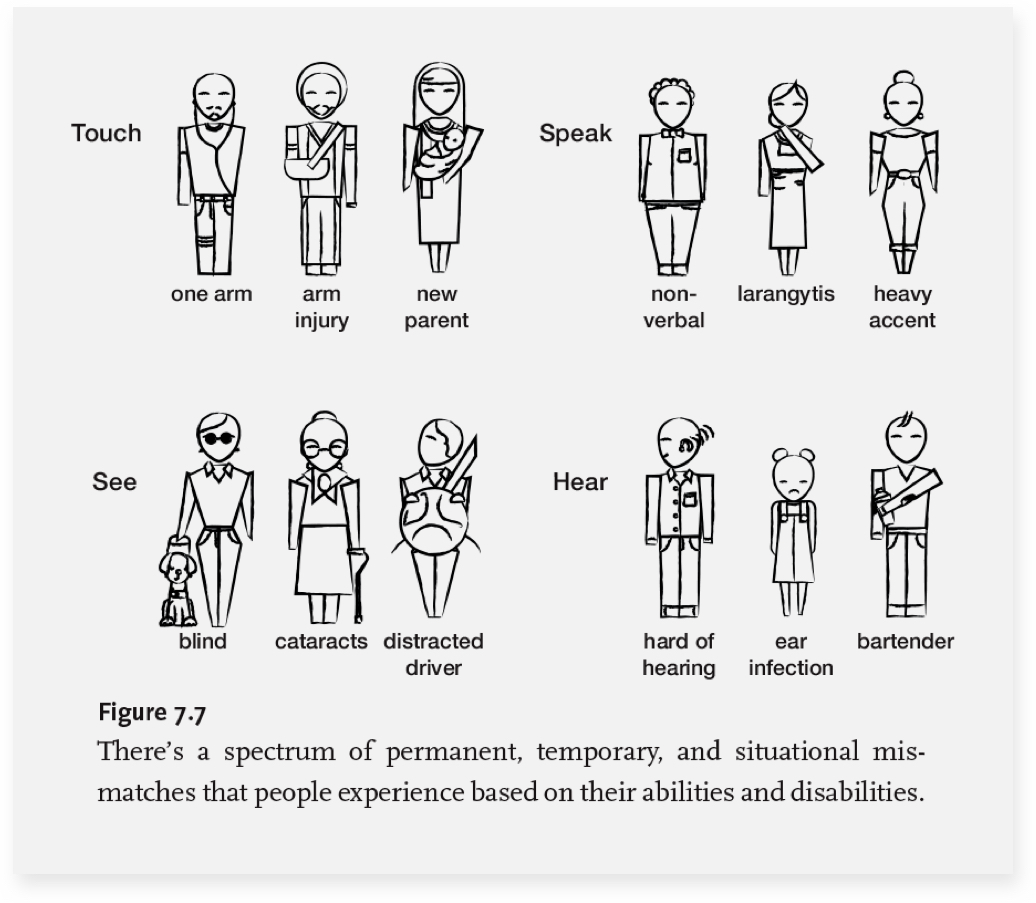

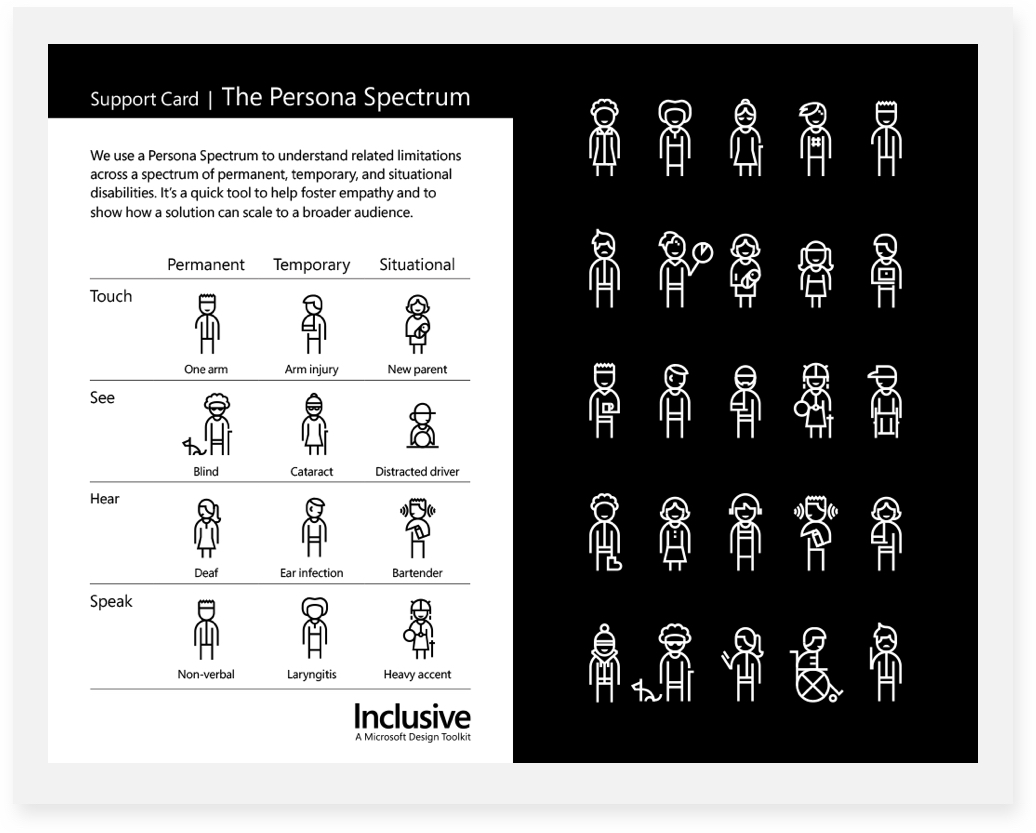
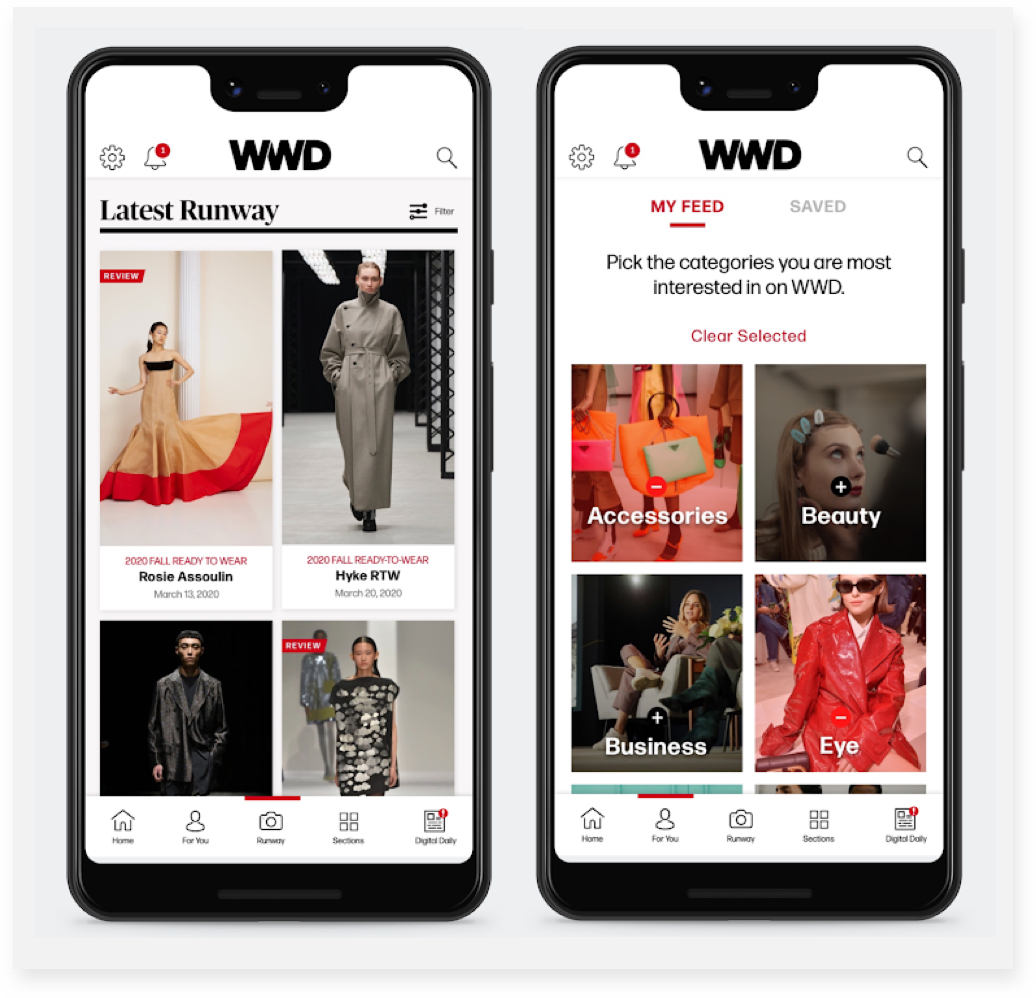 3. Design Essentials for Inclusivity